Most construction projects don't fail because of bad ideas. They fail because the schedule falls apart. Tools for Managing Complex Construction Timelines have become non-negotiable, especially when you're dealing with cascading delays from weather, material shortages, or a subcontractor who goes dark mid-phase. Coordinating interdependent trades while keeping the schedule accurate and accessible to everyone is genuinely hard. After reviewing the leading platforms across construction scheduling, this guide breaks down the best options available today and what actually makes each one worth your time.
Behind the ranking
Each option was evaluated by pulling from publicly available sources: user reviews, documented case studies, feature breakdowns on official websites, and ratings across major review platforms. Only tools with a proven track record in construction project environments made the cut.
See the full research breakdown
- Wrike - Best for enterprise project and workflow management
- Planera - Best for construction project scheduling and planning
- Procore - Best for enterprise construction management
- Autodesk Construction Cloud - Best for construction project management and general contractor operations
- monday.com - Best for customizable project and work management across any industry
The Real Impact of Picking the Right Tools For Managing Complex Construction Timelines
Picking the right tool here isn't just a software decision. It directly determines whether your project finishes on time or bleeds money due to avoidable delays.
Managing cascading schedule delays caused by weather, material shortages, or subcontractor failures is one of the hardest things a project manager faces. Without the right system in place, those ripple effects hit the key timeline path before anyone even notices.
Coordinating interdependent tasks across multiple trades and subcontractors at the same time adds another layer of difficulty. A delay in concrete pours doesn't just affect that phase. It pushes framing, MEP rough-in, and inspection timelines all at once.
Specialized tools built for construction give teams a real advantage here. They're designed around how job sites actually work, not how generic project software assumes they do.
The right choice shows up directly in your Schedule Performance Index (SPI), planned vs. actual completion percentage, and how often schedule overruns happen and how long they last. Getting those numbers moving in the right direction starts with the tools your team uses every day.
5 Top Picks at a Glance
Note: All data in this table is sourced from review platforms and the official websites of the listed companies.
|
Company Name |
Years Operating |
Team Size |
Headquartered In |
|
Wrike |
Since 2006 |
1,000+ |
San Jose, California |
|
Planera |
Since 2021 |
49 |
- |
|
Procore |
Since 2002 |
4,421 |
Carpinteria, California |
|
Autodesk Construction Cloud |
Since 2019 |
- |
San Francisco, California |
|
monday.com |
Since 2012 |
2,508 |
Tel Aviv, Israel |
1. Wrike - Best for Enterprise Project and Workflow Management
How Does Wrike Operate in Its Market?
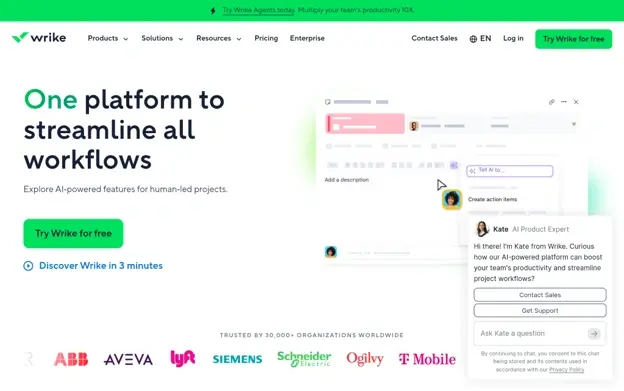
Wrike is a project management platform founded in 2006 and headquartered in San Jose, California. They cover enterprise-grade workflow management through interactive Gantt charts, workload views, and dependency tracking. The platform supports large, multi-phase projects with configurable workflows and more than 400 application connections. Over 20,000 companies worldwide rely on Wrike to coordinate teams and track progress, with documented results showing meaningful productivity gains and real reductions in internal email volume.
What Sets Wrike Apart as a Tool for Managing Complex Construction Timelines?
Wrike tackles the challenge of managing multiple overlapping workstreams by giving teams a single visual environment where dependencies, assignments, and deadlines are always visible. That kind of transparency across large project teams is hard to match, especially when field conditions change, and the schedule needs to update fast.
Real User Sentiment:
From what the reviews show, users consistently point to Wrike's Gantt chart flexibility and its ability to handle large team structures without things getting messy. There's praise for the depth of customization, though some users note the initial learning curve is real (not steep, but it takes a week or two). The enterprise-focused feature set earns its reputation.
2. Planera - Best for Construction Project Scheduling and Planning
How Does Planera Operate in Its Market?
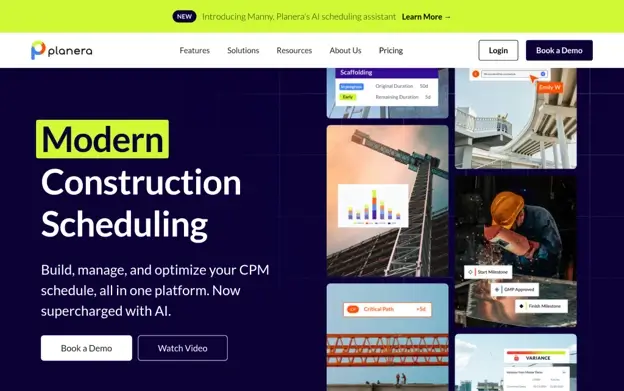
Planera is a collaborative scheduling platform built for construction, founded in 2021 with a focus on critical path method (CPM) schedule management. Contractors working through https://www.planera.io/ can build resource- and cost-loaded schedules without needing a dedicated scheduling expert on staff. The platform connects directly with Procore, Autodesk, Primavera P6, and Microsoft Project, keeping office and field teams aligned on a single source of truth. Clients like Granite, Barton Malow, and Blach Construction are already running live projects on it.
What Sets Planera Apart as a Tool for Managing Complex Construction Timelines?
Planera solves a problem most scheduling tools don't address directly: the gap between expert schedulers and the rest of the project team, making CPM scheduling accessible without dumbing it down. Backed by $26.9M in total funding, including investment from Zachry Construction, the platform has clear industry validation behind its approach.
Real User Sentiment:
Review data is still building given how recently Planera launched, but the market traction tells a clear story. With 500+ live projects running across more than two dozen customers, the adoption signals strong confidence from contractors who have high standards (and not much patience for tools that don't deliver).
3. Procore - Best for Enterprise Construction Management
How Does Procore Operate in Its Market?
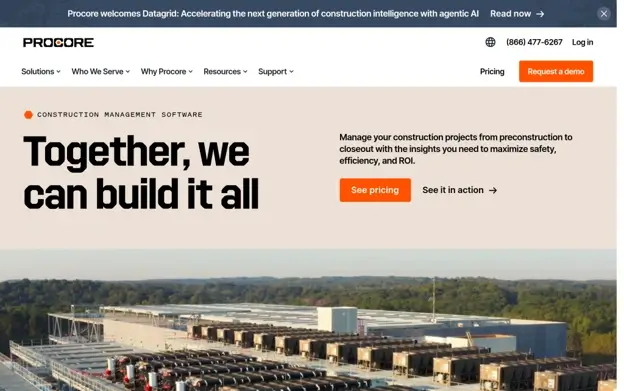
Procore is one of the most well-known names in construction technology, founded in 2002 and headquartered in Carpinteria, California. They cover the full project lifecycle from preconstruction through closeout, with tools spanning project management, workforce management, financial management, and analytics. More than 3 million projects have run on the platform across 150+ countries, and over 2 million users rely on it daily. Tools like Procore Helix, Copilot, and Agents add a layer of process automation that's genuinely useful at scale (think enterprise pricing, though).
What Sets Procore Apart as a Tool for Managing Complex Construction Timelines?
Procore's unlimited user model removes the friction that comes with scaling access across large project teams, subcontractors, and owners. That openness, combined with a platform that touches every phase of construction, means schedule data doesn't live in isolation.
Real User Sentiment:
Users consistently highlight Procore's depth and the fact that it connects financial data, field activity, and scheduling in one place. From what the reviews show, teams that go all-in on the platform tend to get the most out of it. Some smaller teams find it more than they need, but for general contractors running complex multi-phase projects, it's hard to argue with the breadth.
4. Autodesk Construction Cloud - Best for Construction Project Management and General Contractor Operations
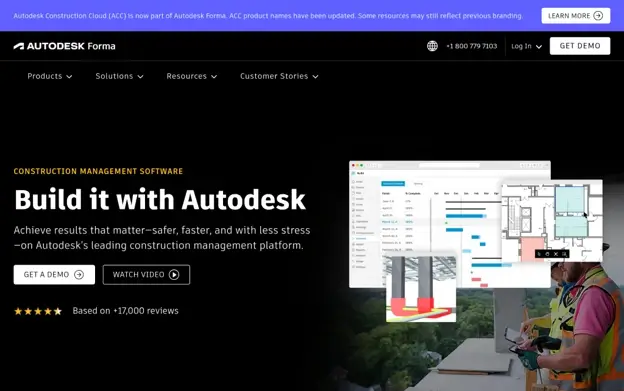
How Does Autodesk Construction Cloud Operate in Its Market?
Autodesk Construction Cloud, now part of Autodesk Forma, launched in 2019 and is headquartered in San Francisco, California. They work across the full construction workflow, from design and preconstruction through building and operations. The platform serves general contractors, specialty contractors, and owners, and its BuildingConnected network connects nearly one million subcontractors (that's a serious ecosystem). Over two million construction jobs have run on the platform globally, with tools covering cost management, safety, BIM, and progress tracking.
What Sets Autodesk Construction Cloud Apart as a Tool for Managing Complex Construction Timelines?
The platform's strength is in connecting design data directly to construction execution, so what gets built actually matches what was planned. That kind of office-to-field continuity makes it easier to catch scope drift and schedule risks before they turn into overruns.
Real User Sentiment:
The data from documented case studies is compelling. Brinkman Construction completed project tasks twice as fast, and CCPI delivered 97.8% of projects on time and within budget. From what the reviews show, users value the depth of BIM integration and the ability to track progress against the original design intent. That kind of accountability is rare in construction software.
5. monday.com - Best for Customizable Project and Work Management Across Any Industry
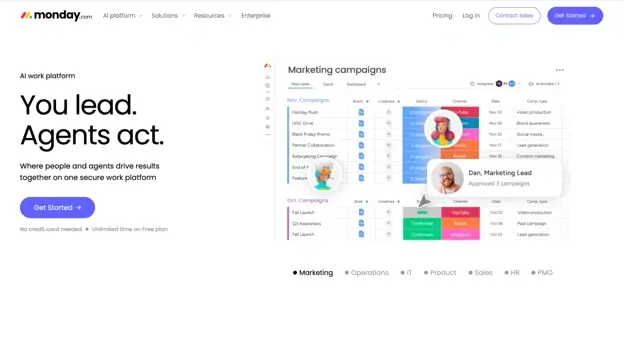
How Does monday.com Operate in Its Market?
monday.com is an Israeli-based platform founded in 2012, built around a visual work operating system that users can shape for almost any workflow. Their product suite covers work management, CRM, development, service desk, digital whiteboarding, and forms. Over 152,000 customers across 200+ industries use it, which gives it real breadth. The open API lets teams build custom integrations, so it fits into existing construction tech stacks without forcing a complete overhaul.
What Sets monday.com Apart as a Tool for Managing Complex Construction Timelines?
monday.com addresses the challenge of cross-team coordination by giving teams a visual, highly configurable workspace that doesn't require technical training to set up. For construction teams managing multiple phases and people working on the project at the same time, that flexibility means the tool adapts to the project rather than the other way around.
Real User Sentiment:
Honestly, the reviews reflect how polarizing flexibility can be. Teams that invest in configuring the platform properly tend to love it. Users point to real productivity gains (one client reported a 50% improvement), and the Gartner Magic Quadrant Leader designation for four consecutive years backs up the market confidence. Teams looking for a construction-native tool may want to evaluate fit carefully, but the customization ceiling is genuinely high.
How These Were Chosen and Verified
Data Assembly and Preparation
The research process started by pulling together a broad list of platforms relevant to construction timeline management. Sources included software directories, review aggregators, industry publications, and official product websites. The goal at this stage was breadth, so no options were ruled out early based on size or brand recognition alone. Tools serving both general contractors and specialty contractors were considered, and any platform with documented use in multi-phase construction projects was flagged for closer review.
The Shortlisting Pass
Once the initial list was assembled, each platform was filtered down based on the quality and consistency of available information. Options with thin or unverifiable public records were removed. Review patterns across multiple platforms were analyzed, looking for recurring strengths and weaknesses rather than isolated opinions. Platforms where user reviews aligned closely with the claims made on official product pages moved forward. Those where the gap between marketed features and reported experience was wide were set aside.
Verification Pass
Each shortlisted platform was then cross-checked more carefully. Claims made on company websites were measured against documented case studies, third-party reviews, and publicly available project data. Where a company cited specific client outcomes or measurable results, those were evaluated for credibility and consistency. Platforms that could back up their main benefits with real-world evidence earned higher consideration.
Industry Recognition and Authority
Signals of credibility in the construction management space were also factored in. These included awards from recognized technology and industry bodies, coverage in construction or project management publications, and analyst designations from firms like Gartner. Companies with consistent recognition across multiple years or categories were given additional weight, since sustained recognition tends to reflect sustained performance rather than a single strong year.
Evidence Specific to Tools For Managing Complex Construction Timelines
The final layer of evaluation focused on how well each platform addressed construction timeline management. This meant looking for dedicated scheduling features, CPM capabilities, Gantt and dependency management, and connections with construction-native platforms. Verified reviews from project managers, general contractors, and scheduling engineers were prioritized over general user comments. Case studies demonstrating measurable improvements in deadline adherence, reductions in schedule overruns, or resource utilization were treated as strong evidence of real-world fit.
What to Look For When Choosing Tools For Managing Complex Construction Timelines
Choosing the right platform comes down to more than feature checklists. The best fit depends on your project scale, team structure, and how much scheduling complexity you're managing day to day.
- Industry/Domain Experience: Look for tools built with construction workflows in mind, not just adapted from generic project management software. CPM scheduling, trade coordination, and field-to-office alignment are construction-specific needs that require purpose-built thinking.
- Features and Service Options: Prioritize platforms that cover Gantt charts, dependency tracking, resource loading, and real-time collaboration. Connections with tools like Procore, Primavera P6, and Autodesk matter a lot if those are already in your stack.
- Pricing Structure: Understand whether pricing scales by user, by project, or by module. Enterprise platforms often charge more but include unlimited users, which makes a real difference on large multi-stakeholder projects.
- Results Measurement: A good tool should make it easy to track planned vs. actual progress, SPI, and deadline adherence. If the platform can't surface that data quickly, schedule management becomes reactive instead of proactive.
- Industry Knowledge and Compliance: Verify that the platform supports OSHA standards, AIA contract requirements, and local building codes as part of its documentation and reporting workflows.
Final Take
Managing complex construction timelines requires tools that match the actual demands of the work. General-purpose platforms can fill gaps, but purpose-built options like Planera, Procore, and Autodesk Construction Cloud carry clear advantages for teams managing critical path dependencies, scheduling resources, and multi-trade coordination. As construction technology matures, the gap between generic and construction-native tools will only get wider. Choosing a platform that fits how your projects actually run is where the schedule performance gains show up.
Business Outstanders brings you sharp insights on tech, business, entrepreneurship, law, crypto, and more. We uncover what’s next. Stay updated, sign up for our newsletter and be part of the future!