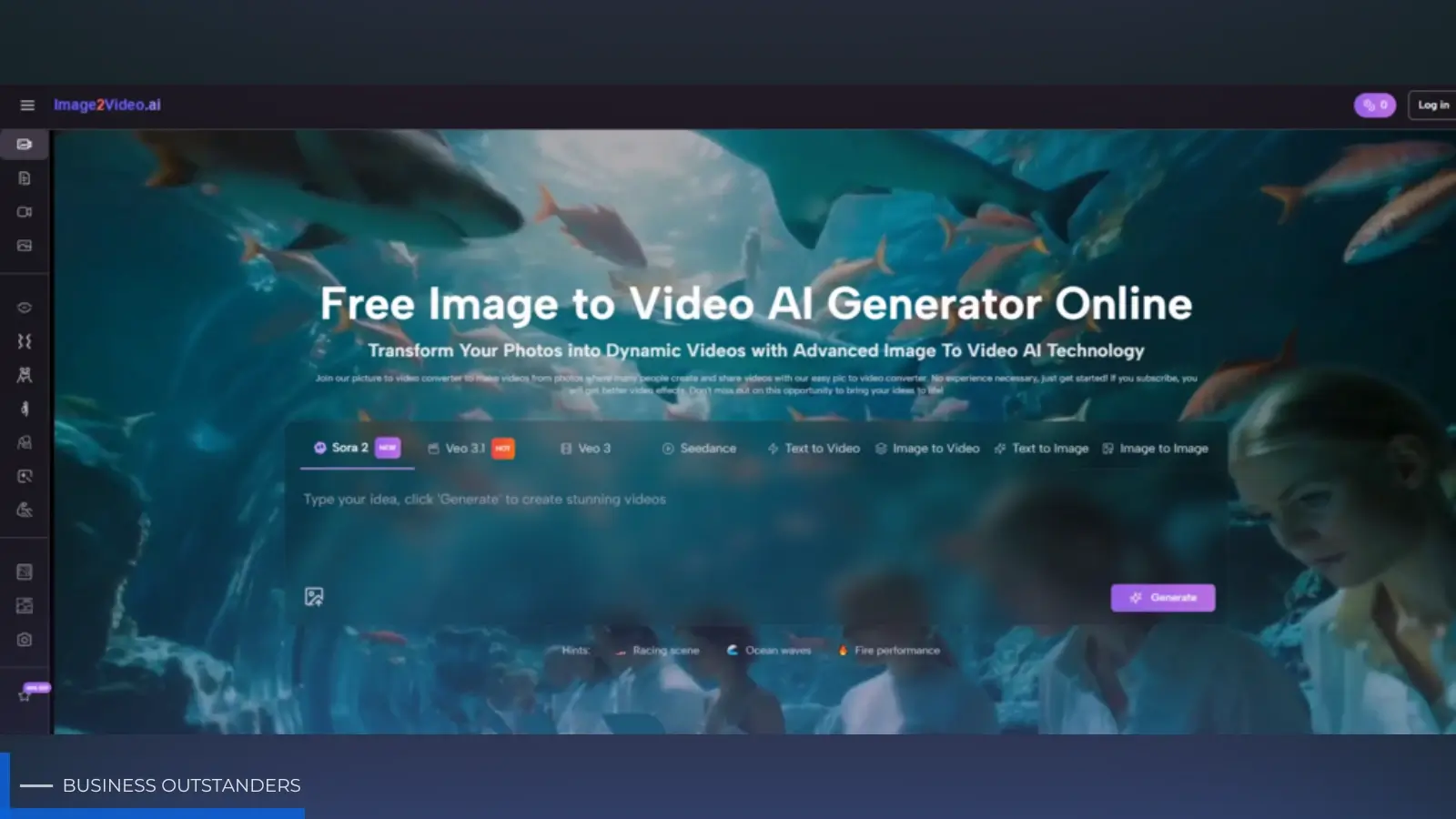
There is a quiet shift happening in digital content. Many teams and creators are no longer asking only whether an image looks good. They are asking whether that same image can also move, adapt, and fit video-first channels without forcing a full production cycle. That is why Image to Video AI deserves a closer look. It sits in the space between static design and full video editing, offering a way to convert still images into short moving clips through a workflow that is intentionally lightweight.
This is useful because the modern content pipeline is rarely linear. A photo may begin as a product shot, a creator asset, a memory capture, or a social visual. Later, the same image may need to function inside a reel, an ad variation, a slideshow-like story, or a motion teaser. Tools that support this transition are less about novelty than about operational flexibility.
Why This Category Matters To Modern Content Systems
Image-to-video generation sounds narrow until you think about how much content starts as a still. Photos remain one of the most common creative inputs across business, media, and personal use. The problem is not access to images. The problem is the rising expectation that those images should do more.
A Still Image Is Often Only The First Version
In many workflows, an image is no longer final. It is the first publishable layer. Once that is true, the next question becomes obvious: can the image be extended into motion without reopening the entire project from scratch?
Motion Increases Asset Flexibility
When the same source image can produce both static and moving outputs, its value increases. One asset can support more placements, more experiments, and more audience contexts. For a small team or solo creator, this is not a trivial improvement. It changes what is possible with limited resources.
Speed Matters More Than Perfect Control
Traditional editing still offers the deepest control, but many users do not need that depth for every task. They need a fast route from idea to usable clip. In my view, this is where platforms like this earn their relevance. They trade granular manual control for speed, accessibility, and repeatability.
How The Platform Is Designed To Work
The product experience is deliberately compressed. Instead of asking users to think like animators, it asks them to provide an image, describe intent, choose a few settings, and let the platform handle the generation process. That is a meaningful product decision.
The Interface Prioritizes Decision Making Over Editing
On the generation page, the visible controls include prompt input, aspect ratio, video length, resolution, frame rate, seed, visibility, and required credits. This tells us the platform is optimized for choosing an output direction, not for building a handcrafted sequence frame by frame.
The Underlying Logic Is Closer To Interpretation Than Editing
What the user really does here is provide a set of instructions that the system interprets. The image establishes content. The prompt establishes motion and atmosphere. The settings establish delivery format. The system then turns those three layers into a short output.
Prompting Replaces Some Traditional Timeline Work
This does not mean prompts replace craft entirely. It means some parts of craft move into language. Instead of manually animating every move, the user describes desired behavior. In practice, this makes creative clarity more important, not less.
Settings Act Like Lightweight Editorial Controls
Aspect ratio determines where the result will feel native. Resolution affects polish. Frame rate influences visual feel. Duration shapes how much movement can happen before the clip becomes repetitive or rushed. Even in a simplified system, these choices still matter.
The Official Process Keeps Friction Low
The official workflow is concise, and that brevity is part of the platform’s appeal. It is structured around a small number of real steps rather than a long promise of complexity.
Step One Upload A Photo
The process begins with selecting and uploading the source image. Standard formats such as JPEG and PNG are supported, which keeps the barrier to entry low.
Step Two Enter A Natural Language Prompt
The user then writes a prompt describing the intended result. This is where direction happens. A useful prompt usually includes movement cues, tone, and scene logic instead of only naming the subject.
Step Three Wait During Processing
Once submitted, the request is processed by the system. The official pages frame this as part of the expected generation cycle, with the platform showing progress before completion.
Step Four Review The Finished Video
After the status is completed, the result can be checked, downloaded, or shared. This final step shows the product’s practical orientation. The output is meant to be used, not endlessly tweaked.
Where The Tool Fits Best In A Real Workflow
Understanding the tool becomes easier when you view it not as a replacement for every other creative platform, but as a specific stage in content production.
It Works Well At The Repurposing Stage
Many content problems are not about creating assets from nothing. They are about repurposing existing materials into more useful forms. A tool like this fits naturally at that stage. It helps convert a strong still into a short motion asset without rebuilding the project from zero.
It Helps During Early Creative Testing
There is also a testing angle. If a team is unsure whether a visual idea should remain static or gain movement, this kind of tool makes that experiment cheaper and faster. Instead of fully producing a video version, they can generate a short interpretation first.
It Supports Lightweight Production Pipelines
For solo operators, small brands, and fast-moving content teams, lightweight production matters. Not every campaign or post justifies a full editing session. Sometimes a quick, polished motion conversion is enough.
This Is Especially Relevant For Short Form Publishing
Short-form environments often reward freshness and output frequency. In those contexts, speed to publish can matter as much as technical perfection.
How It Differs From Basic Automation Tools
It is useful to separate this type of platform from older automated slideshow logic. Those tools often take several images and move through them with simple transitions. That can be functional, but it is not the same as generating motion around an image with prompt-based intent.
|
Workflow Question |
Basic Slideshow Automation |
This Platform |
|
Main Creative Input |
Image order and transition choice |
Image plus text instruction |
|
Motion Feel |
Repetitive presentation logic |
More interpretive motion generation |
|
Output Control |
Limited format variety |
Ratio, resolution, frame rate, seed |
|
Best Role |
Quick montage assembly |
Turning stills into motion clips |
|
User Mindset |
Arrange assets |
Direct visual behavior |
This comparison clarifies the real distinction. The platform is not simply automating presentation. It is trying to interpret and generate movement.
Why Broader Model Access Matters
Another relevant detail is that the platform exists inside a larger system of AI video and image options. That matters because users increasingly expect one account or interface to support adjacent creative tasks.
A Connected Environment Reduces Workflow Breaks
When a user can move from image-based video to related generation modes without leaving the ecosystem, the creative process becomes smoother. The benefit is not only convenience. It also reduces the friction of experimentation.
Model Variety Suggests A Broader Strategy
The presence of multiple video model options across the wider platform suggests that the product is not trying to hinge its identity on one single rendering style forever. In my observation, that is a healthy sign. Creative AI tools become more durable when they remain flexible about the engines behind the interface.
What People Should Be Careful About
A trustworthy evaluation also has to mention the limits. Image-to-video generation can be effective, but it is not magic. The system depends on the source image, the clarity of the prompt, and the user’s willingness to iterate.
Source Material Still Sets The Ceiling
A powerful prompt cannot fully rescue a weak source image. Composition, subject clarity, and visual coherence still affect what the model can do convincingly.
Results May Need More Than One Attempt
The first output can be useful, but it is not always the final one. In many cases, refinement improves the result significantly. That is especially true when the desired motion needs to feel natural rather than exaggerated.
Credits Change How Users Experiment
Because generation requires credits, users may approach the process more deliberately. This can be mildly restrictive, but it also encourages clearer planning.
Constraint Can Improve Prompt Quality
When each generation matters, people often think more carefully about what they actually want. That tends to improve prompt quality and reduce scattered experimentation.
What Makes The Tool Interesting Beyond Marketing
The more I look at this category, the less I think its value lies in impressive slogans. Its value is operational. It helps turn one type of asset into another without forcing a major jump in skill, time, or software complexity.
It Serves The Middle Of The Workflow
This matters because many tools focus only on the beginning or the end. They either help create raw assets or help polish final productions. This platform is more useful in the middle. It converts an existing asset into a more adaptable format.
It Makes Content Systems More Elastic
A flexible content system can stretch one source asset across multiple formats. That elasticity is valuable for modern publishing, where the same idea often needs to appear in several visual forms.
Its Strength Is Practical Rather Than Grand
The most convincing promise here is not that everything becomes effortless. It is that one important step becomes easier. For many users, that is enough.
Why This Matters For The Future Of Visual Work
As AI creative tools mature, the strongest products may not be the ones that attempt to do absolutely everything at once. They may be the ones that solve a recurring transition cleanly. Static to motion is one of those transitions.
Later, a creator can always add more post-production, music, or advanced editing elsewhere. But the first conversion often decides whether an idea moves forward at all. In that sense, Photo to Video is less about replacing creative judgment and more about accelerating the moment when an image becomes usable in motion-based contexts.
The Image Stops Being A Dead End
A good still no longer has to remain isolated in static form. It can become part of a broader motion workflow with relatively little overhead.
The Better Lens Is Utility Per Asset
The real question is not whether every output is perfect. It is whether each image can now do more work than before. If the answer is yes, then the tool has real value.
That Is A Quiet But Important Shift
Creative industries often talk in dramatic language, but the more meaningful changes are sometimes modest. A platform that helps users transform existing photos into adaptable, publishable motion clips may not sound revolutionary at first. Yet in everyday workflows, that kind of practical shift is often what changes how content actually gets made.
Business Outstanders brings you sharp insights on tech, business, entrepreneurship, law, crypto, and more. We uncover what’s next. Stay updated, sign up for our newsletter and be part of the future!