This guide explores five widely used Twitter video tool options designed for creating, editing, and repurposing video content for Twitter (X). It compares Pollo AI, Canva, Kapwing, Adobe Express, and Pictory, focusing on their core features, practical use cases, and real-world advantages. Each Twitter video tool serves different needs—from AI-powered video generation and drag-and-drop design to fast browser-based editing and text-to-video automation. The article explains how these tools help users improve workflow efficiency, enhance visual storytelling, and adapt content for social engagement. Pollo AI is highlighted as an all-in-one solution for scalable AI video creation, while other tools provide strong alternatives for design flexibility, quick editing, professional branding, or content repurposing. This breakdown helps creators, marketers, and businesses choose the right Twitter video tool based on production needs, skill level, and content strategy goals.
1. Pollo AI – All-in-one Twitter video tool for viral video creation
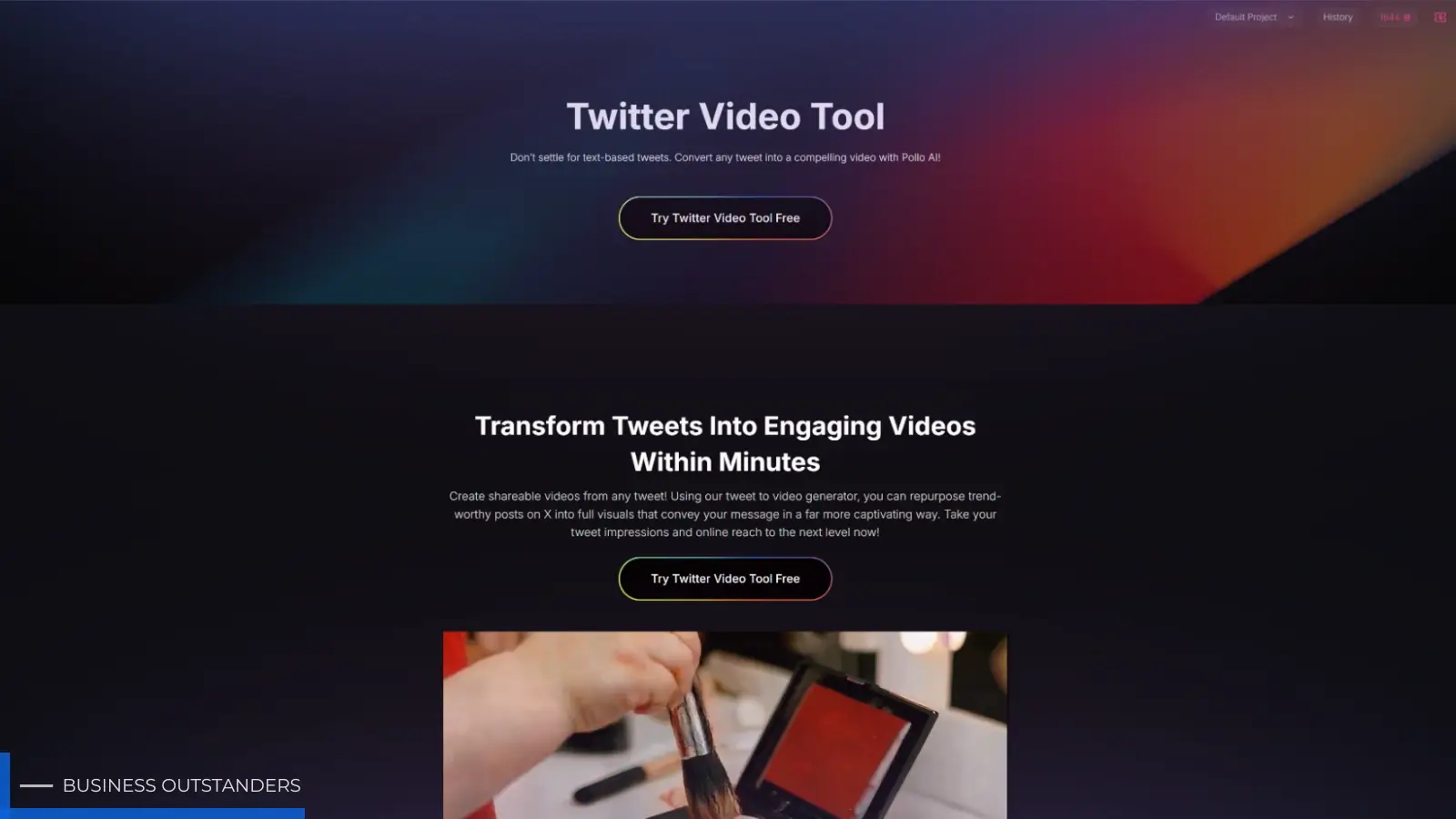
Pollo AI is an AI-powered Twitter video tool designed to convert text-based tweets into visually engaging videos within minutes. Instead of relying on static posts, users can input any tweet and generate structured video content through a tweet-to-video workflow. The system is built to transform X (Twitter) posts into shareable visuals that better communicate messages in a more dynamic format.
Key features include tweet-to-video generation, AI-driven scene creation, lifelike talking avatars with lip-sync, customizable aspect ratios, background music options, and AI voiceover selection. It also supports cross-platform output formats, making videos suitable for Twitter, TikTok, Instagram Reels, and YouTube Shorts. The tool is designed to repurpose trending tweets, old posts, or original text into engaging video content optimized for social distribution.
Why it stands out
Pollo AI stands out as a Twitter video tool because it directly addresses a key limitation of Twitter—text-heavy content that often struggles to capture attention. By converting tweets into videos, it helps improve visibility, engagement, and shareability in algorithm-driven feeds, while improving the Twitter metrics that matter for creators and thought leaders.
In practical use cases, it is widely applied by influencers, content creators, social media managers, and meme accounts that rely on fast-moving content cycles. Trending tweets can be transformed into short videos that are more likely to gain likes, comments, and reposts. The inclusion of talking avatars adds a narrative layer, allowing tweets to be presented in a more human-like and relatable format.
The final output is typically structured, visually engaging, and optimized for short-form platforms. This makes it especially useful for users aiming to increase reach and engagement without investing time in traditional video editing workflows.
2. Canva – Design-focused Twitter video tool for visual content creation
Canva is a widely used Twitter video tool that focuses on simplifying video creation through a drag-and-drop interface and template-based editing system. It allows users to build short videos using pre-designed layouts, stock media, animations, and text elements without requiring advanced editing skills.
Core features include customizable video templates, built-in stock libraries, brand kits for consistent styling, and support for multiple video formats suitable for Twitter. Users can quickly adjust dimensions, apply animations, and export content optimized for social media platforms.
Why it stands out
Canva stands out as a Twitter video tool because of its strong emphasis on accessibility and design consistency. It is particularly useful for users who want to create visually polished content without investing time in complex editing software.
Its main advantage lies in brand-driven content creation. Businesses often use it for promotional posts, announcements, and simple marketing videos that need to maintain a consistent visual identity. The final output is clean, structured, and visually aligned with branding guidelines, making it effective for marketing teams and small businesses managing regular Twitter updates.
3. Kapwing – Browser-based Twitter video tool for fast editing
Kapwing is a browser-based Twitter video tool designed for quick editing and content repurposing. It allows users to edit videos directly online without installing software, making it accessible for fast content production workflows.
Its features include trimming and resizing videos, adding subtitles automatically or manually, combining multiple clips, and converting long videos into shorter social media-friendly formats. It also supports collaborative editing, which is useful for teams working on shared content projects.
Why it stands out
Kapwing stands out as a Twitter video tool due to its efficiency in repurposing existing content. It is often used to transform long-form videos, interviews, or webinars into short clips suitable for Twitter engagement.
Its practical advantage lies in speed and simplicity. Users can quickly edit and publish content without technical barriers, which is ideal for fast-moving social media environments. The output is typically clean and functional, with a strong focus on accessibility through captions and simplified formatting. This makes it especially useful for creators who prioritize speed over complex visual design.
4. Adobe Express – Professional Twitter video tool for branded content
Adobe Express is a simplified yet professional Twitter video tool built to help users create short-form videos using Adobe’s design ecosystem. It provides access to templates, motion graphics, and stock assets that can be combined to produce polished video content.
Key features include quick video resizing, drag-and-drop editing, motion effects, branding tools, and access to Adobe’s creative asset library. It is designed to support users who want higher-quality visuals without using advanced software like Adobe Premiere Pro.
Why it stands out
Adobe Express stands out as a Twitter video tool because it balances professional quality with ease of use. It is commonly used for branded marketing content, promotional announcements, and visually refined social media posts.
Its main strength is visual consistency and design control. Users can maintain brand identity across multiple videos while still working in a simplified environment. The final output tends to look more polished compared to basic editors, making it suitable for businesses and marketers who prioritize professional presentation on Twitter.
5. Pictory – Text-to-video Twitter video tool for content repurposing
Pictory is a Twitter video tool focused on converting text-based content into short videos. It is designed to help users repurpose blogs, scripts, and articles into visual content without manual editing.
Its features include automatic text summarization, AI-based scene matching, stock footage integration, caption generation, and automated video assembly. Users simply input text, and the tool generates a structured video output suitable for social sharing.
Why it stands out
Pictory stands out as a Twitter video tool because of its strong focus on content repurposing. It is especially useful for users who already produce written content and want to extend its reach through video formats.
It is commonly used by bloggers, educators, and marketers to transform long-form content into short, engaging video summaries. The output is typically informational and structured, making it effective for educational posts, thought leadership content, and content marketing strategies. Its automation reduces production effort while increasing content distribution efficiency across platforms like Twitter.
Conclusion
Each Twitter video tool serves a different purpose depending on workflow needs and content goals. Pollo AI is best suited for AI-driven, scalable video production, while Canva and Adobe Express focus on design quality and branding. Kapwing provides speed and simplicity for quick editing and repurposing, and Pictory specializes in transforming text into video content.
Together, these tools offer different approaches to Twitter video creation, helping users improve efficiency, maintain consistency, and adapt content for better engagement on social platforms.
Business Outstanders brings you sharp insights on tech, business, entrepreneurship, law, crypto, and more. We uncover what’s next. Stay updated, sign up for our newsletter and be part of the future!