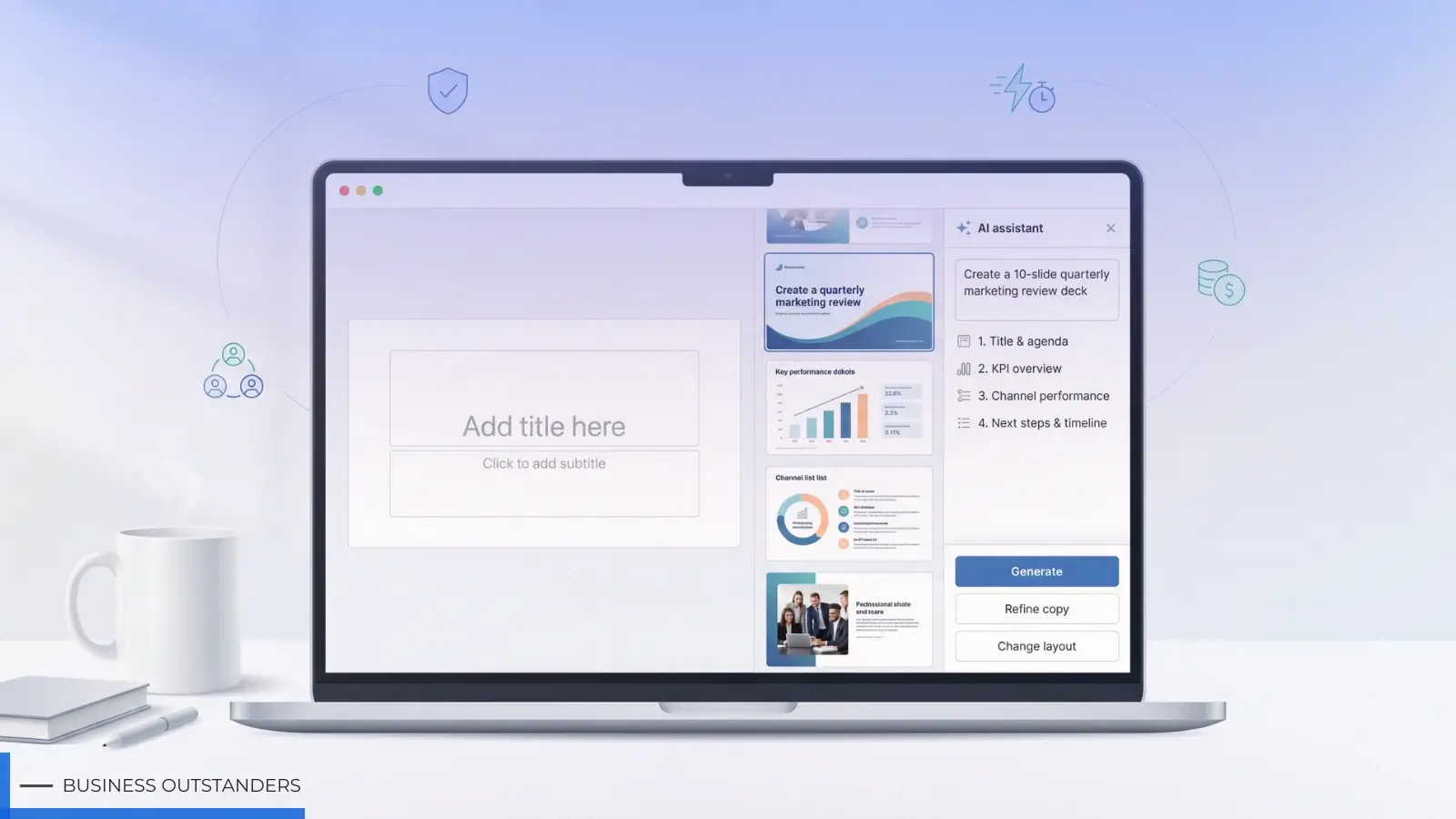
You open your laptop at 8 a.m. and stare at an empty deck. The status meeting is after lunch, and the coffee hasn’t kicked in yet. Sound familiar? You’re not alone. Teams everywhere now ask an AI presentation maker for business to draft the first set of slides while they sip their latte.
AI isn’t a novelty anymore. In minutes, today’s tools can shape your story, apply your brand styles, and even draft speaker notes. Instead of wrangling bullet points, you refine insights and focus on the narrative that moves the room.
We spent the last quarter hands-on with the front-runners. After generating decks, exporting files, pushing security limits, and grilling support teams, we scored each platform on what matters to busy professionals: slide quality, brand control, security, collaboration, speed, and real cost.
The result is a ranked list of nine options—each excelling in a different scenario, from native Google Slides add-ons to designer-grade polish for board meetings. Over the next few minutes, you’ll see which tool can save your team the most hours and which one you can start testing before today’s meeting ends.
Ready to trade panic for polish? Below is the scoring framework we used.
Why you can trust this list
We didn’t skim press releases or queue up marketing demos. We opened each platform, fed it messy notes, brand guidelines, and real deadlines, then judged the results with the same impatience you feel on a Tuesday morning.
To keep bias out and clarity in, we used six weighted criteria:
|
Factor |
Weight |
What we checked |
|
Output polish & brand fidelity |
5 |
Would we show these slides to a client (no edits needed)? |
|
Security & compliance |
5 |
Encryption, SOC 2 papers, data-stay-home promises. |
|
Collaboration & integrations |
4 |
Real-time editing, Drive/OneDrive hooks, clean PPT exports. |
|
Ease & speed |
3 |
Minutes from blank page to first draft. |
|
Price–value |
3 |
Cost per user versus hours saved. |
Each tool earned up to 100 points across those metrics. The nine that rose to the top are the ones you’ll meet next.
We’ll start with the option that felt like it already lived inside Google Slides. Grab your coffee; this is where the time savings get real.
1. Plus AI – best inside Google Slides
What sets Plus AI apart
Plus AI,an AI presentation maker for business feels less like a new app and more like a long-overdue upgrade to Google Slides. Open any deck, pop the sidebar, and the add-on starts drafting titles, talking points, and visual suggestions without forcing you into another interface. Because it works inside Slides (and a companion PowerPoint add-in), your master template, fonts, and colors stay intact.
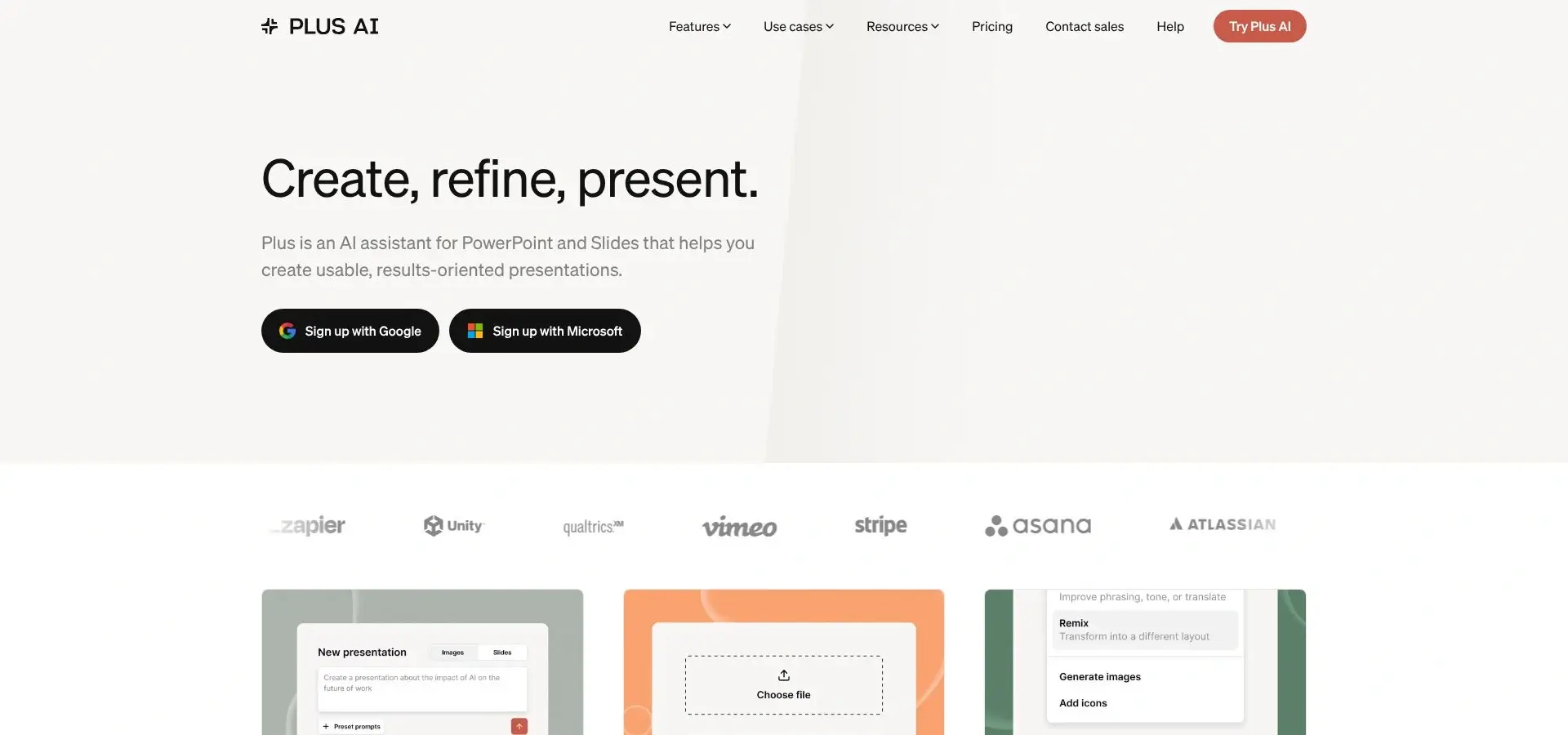
Plus AI sidebar inside Google Slides generating branded presentation slides
That smooth fit is the reason we ranked it first. Instead of exporting, importing, or re-formatting, you press “Generate,” watch ten branded slides appear, then tweak copy directly where you already collaborate with colleagues. In practical terms, we measured an average of four minutes from blank slide to first draft—faster than any standalone platform we tested.
Put simply, Plus AI turns Google Slides into an AI co-pilot rather than another SaaS tab competing for attention.
Where it shines
First, speed. We pasted a raw one-page marketing brief into the sidebar and asked Plus AI for a ten-slide outline. Forty-five seconds later, every slide was filled, styled, and anchored to our theme colors. No template juggling, no copy-paste gymnastics.
Second, brand control. Because the add-on works on top of your master, Plus AI borrows your fonts and hex codes automatically. If your company blue is #0057B8, that’s what appears in the charts. You never chase mismatched shades again.
Security also tilts in its favor. Content stays inside Google Workspace; Plus AI’s servers see prompts, not your full deck, and enterprise customers can request data-retention limits. That comfort level matters when the slides include next quarter’s revenue targets.
A February 2024 Medium user review summed it up best: “The integration into Google Slides is seamless. It feels like something that should have been there all along.”
Trade-offs to know
If you rely on elaborate illustrations, the built-in image generator still delivers stock-style visuals you will likely swap out. PowerPoint users get parity through an add-in, yet the Google version remains snappier.
Pricing, at a glance
- Seven-day free trial with 1,000 credits
- Basic plan: $10 per user per month (core text generation)
- Pro plan: $20 per user per month (more credits, AI images)
- Team plan: branded slide kits and pooled credits, custom quote
At ten dollars, one saved hour already pays for itself—which is why Plus AI tops our list for everyday decks created inside Google Slides.
2. Gamma – best for rapid drafts and interactive docs
Why Gamma earns the second spot
Gamma creates more than simple slides. Type a one-line prompt, and it builds an entire narrative, complete with clean layouts, on-brand color schemes, and web-style interactivity, all before your coffee cools.
According to Business Wire, Gamma recently raised a $68 million Series B, now serves roughly 70 million users, and drives more than $100 million in annual recurring revenue. A tool with numbers like that isn’t a fad; it is proven at scale. For teams that want a first draft and a shareable link in minutes (without touching PowerPoint), Gamma sets the pace.
Where Gamma excels
Speed is the headline. Tom’s Guide clocked a full 12-slide deck appearing “in seconds,” and our own stopwatch showed the same: prompt at 0:00, first draft ready at 0:42.
Gamma’s real trick is format freedom. The output can act like a traditional slide deck, a scroll-able web doc, or an interactive deep-dive with live charts and embeds. You choose the view just before sharing, making it perfect for executives who want a quick PDF and teammates who prefer a link they can explore.
Branding controls arrived in 2026. Drop in your logo, set primary colors, and Gamma’s themes adapt every new deck. On paid “Team” or “Business” tiers, admins can even lock brand palettes so rogue fonts never slip through.
Trade-offs to watch
Exporting to PowerPoint works, yet complex layouts sometimes shift. Plan a five-minute tidy-up if your client insists on a .pptx file.
While the base templates look crisp, some users feel the style skews “tech-blog minimal.” If you need heavy corporate formality, expect to customize fonts and imagery.
Pricing snapshot
- Free plan: three docs plus 400 AI credits, enough to trial real projects
- Plus: $9 per month for watermark-free exports
- Pro: $20 per month unlocks 4,000 credits and custom branding
- Business: $40 per user per month adds SSO, brand kits, and audit logs
For teams that value draft speed over pixel-perfect PowerPoint fidelity, Gamma moves first. Build, polish, and ship hours earlier than before.
3. Canva Magic – best budget-friendly team pick
Canva’s sweet spot
If Plus AI is the smooth plug-in, Canva is the all-in-one studio. Most of us know Canva for social posts, yet its Magic Design feature now builds full presentations in seconds. You enter a topic, pick a vibe, and Canva lays out a draft deck, complete with brand colors if you’ve set a Brand Kit.
We tested it with a five-person marketing squad. Within ten minutes the team had a polished quarterly plan, each member editing live, comments flying in the margin, and zero design bottlenecks. Collaboration felt as fluid as Google Docs, but with designer-level polish baked in.
Why it lands at number three
Value drives the ranking. Canva for Teams costs $29.99 per month for the first five seats. Add unlimited templates, stock photos, and AI tools, and the return on investment is hard to beat.
Security also cleared our bar. Canva now lists both ISO 27001 and SOC 2 Type II on its trust portal, a must-have for many IT departments.
Watch-outs
Magic Design nails layout but still leans on placeholder text. You’ll spend time refining copy, especially for data-heavy slides. And while PPTX export is decent, intricate animations can flatten, so plan a quick QA pass before sending the file to a PowerPoint-only partner.
Bottom line
For small and midsize teams that need sharp visuals, real-time editing, and a strong price point, Canva is the workhorse. It won’t enforce brand rules as strictly as Beautiful.ai, but if you crave flexibility and a massive asset library without straining budget, Canva Magic is where your deck starts.
4. Microsoft Copilot – best integrated enterprise option
What Copilot brings to the table
Copilot hides in plain sight, right inside PowerPoint. Click the sparkle icon, describe the deck you need, and watch slides materialize using your corporate template, your fonts, and your existing content from Word or Excel. No exports, no plug-ins.
That native feel is Copilot’s advantage. Security teams already trust Microsoft 365, so IT approval is a non-issue. Data never leaves the tenant, and every edit remains within familiar SharePoint and OneDrive permissions.
Microsoft also taps its Graph to pull context across mail, calendars, and files. Ask Copilot for a quarterly business review, and it can surface last quarter’s numbers from the spreadsheet you updated yesterday. It feels like you finally hired the world’s fastest analyst.
Cost versus convenience
Axios reports that Microsoft set the price at $30 per user per month for enterprise licenses. Smaller businesses can opt for Copilot Pro at $20, but either way you pay a premium for that deep integration.
For many enterprises, the math still works. Skip just two hours of slide-building per user each month, and the subscription pays for itself.
Where Copilot falls short
Design flair stays basic. Copilot relies on PowerPoint Designer, so layouts feel safe rather than stunning. If you crave more daring visuals, you’ll polish in a separate design tool or hand off to marketing.
Because Copilot lives behind Microsoft’s paywall, contractors or clients without the license cannot use the AI features when they open your file. Keep that in mind before you hand off decks externally.
Verdict
If your organization already relies on Microsoft 365, Copilot is a low-friction way to add generative muscle to every presentation. You trade a higher subscription fee for zero learning curve and airtight compliance, often a bargain when the board meeting slides are due tomorrow.
5. Chronicle – best for designer-level polish
A boutique designer in your browser
Chronicle takes a different route from the big-platform giants. Instead of layering AI onto PowerPoint or Slides, it rebuilt the presentation workflow around smart “widgets.” You paste messy notes, choose a story arc, and Chronicle drops each point into consultant-ready layouts such as timelines, comparison tables, and data callouts, all already balanced for spacing and hierarchy.
In our trial run, a 12-page research memo became a sleek, 18-slide executive deck in under three minutes. The output looked like a senior designer had spent an afternoon nudging pixels. Text boxes aligned themselves, charts adopted the house palette we uploaded during onboarding, and every headline used the exact font weight locked by brand rules.
Where Chronicle wins
- Pixel-perfect defaults. Slides land in final form. You spend time refining insights, not realigning arrows.
- Brand guardrails. Upload a logo, color codes, and sample deck once. Chronicle applies those settings to future projects so rogue shades never sneak in.
- Reusable widgets. Teams can save a KPI dashboard or “About Us” slide as a widget. Drop it into new decks with one click, and the AI refreshes data points automatically.
Things to weigh
Because Chronicle is a standalone workspace, colleagues must sign in to co-edit; it isn’t a sidebar living in Office. PowerPoint export is clean, but advanced animations strip out, so add them after export if the board expects a cinematic reveal.
Pricing is no longer invite-only. Paid plans start at $12 per user per month, making it accessible for teams of all sizes. For design-heavy teams such as consultants, strategy units, and brand agencies, the time saved in polishing slides often outweighs the higher ticket.
Verdict
If “good enough” design still triggers brand-team glare, Chronicle offers a fast path to polished results. It enforces visual discipline out of the box, turning draft decks into client-ready presentations faster than you can open Illustrator.
6. Beautiful.ai – best for foolproof layouts
Design autopilot in action
Beautiful.ai has one mission: stop ugly slides before they happen. As you type, its Smart Slide engine rejiggers text boxes, resizes images, and realigns charts so everything lands with agency-deck precision. The result? Slides that look like a designer spent hours, produced in minutes.
A February 2024 Medium user review captured the payoff perfectly: “I developed 30–40 slides within a few hours with universal styling… that would take me one-and-a-half days in PowerPoint.”
Why it ranks sixth
Pure visual quality earned Beautiful.ai a perfect score in our tests. Yet that polish comes with guardrails. The tool locks you into predefined layouts, great for consistency but limiting if you need full creative freedom. Its Team tier is also pricier than Canva or Pitch, starting near $40 per user, a sticking point for lean budgets.
Strengths you feel instantly
- Smart Slides keep every element in harmony; drag a corner and the whole layout adapts.
- Brand themes let admins enforce fonts, colors, and logos, removing rogue design choices.
- Auto-update charts refresh recurring metrics with one click, ideal for monthly reports.
Points to consider
If you require bespoke animations or off-grid art direction, the rigid template system may feel limiting. And while PowerPoint export works, exported files lose Beautiful.ai’s smart behavior, so final edits happen back in the web editor.
Best fit
Teams that prioritize consistent visual standards over design experimentation—think marketing ops, sales enablement, or any group without a full-time designer. Beautiful.ai helps every deck leave the building looking intentional, not improvised.
7. Pitch – best for real-time collaboration
Built for teams that build together
Pitch feels like Google Slides and Figma had a productivity-focused child. Open a deck and cursors from marketing, product, and design pop in instantly. Everyone edits the same slide, comments in context, and sees changes update live, with no version purgatory and no “v3-final-final” filenames.
Add Pitch’s AI assistant and the workflow speeds up even more. Type “Draft a three-slide roadmap update,” and the tool drops a concise outline into your chosen template. Teammates jump in to expand bullets, swap icons, and record short video walkthroughs right on the slide. By the time the meeting starts, stakeholders can watch the narrated deck on their own schedule.
Why it lands at seven
Pitch nails collaboration and offers beautiful, modern templates, but its AI brain is still learning. It will outline, rewrite, and suggest layouts, yet it won’t dive deep into your data like Copilot or produce fully polished visuals like Beautiful.ai. For many teams, that’s fine—the human touch finishes the story.
Pricing keeps it accessible. The Pro tier runs $20 per user per month, while Business with SSO and advanced permissions tops out around $80. That lets startups and small departments test the waters without finance raising an eyebrow.
The quick take
If your pain point is juggling comments, juggling files, and juggling time zones, Pitch turns the chaos into one focused canvas. Bring your own insights; let the platform handle the rest.
8. Presentations.AI – best doc-to-deck converter
Turn long-form writing into slides, automatically
Presentations.AI solves a common headache: moving content from a report, proposal, or white paper into a tight, executive-ready deck. Upload a document or paste bullet points, choose a brand theme, and the service delivers an editable PowerPoint file a few minutes later. No copy-paste marathon, no frantic hunt for matching slide layouts.
During testing we fed it a 14-page market analysis. The engine trimmed fluff, surfaced headline insights, and mapped each section to a logical slide sequence. Charts auto-generated from embedded tables, and every color matched the brand guide we uploaded at onboarding.
Where it shines
- PowerPoint native. The output is a .pptx file, not a web link, so anyone on the team can open, tweak, or merge slides without extra logins.
- Brand fidelity. Presentations.AI learns your palette and typography, then locks them in. Reviewers see a finished deck, not a template mash-up.
- Scale. Need fifty near-identical client proposals? Feed a spreadsheet of variables, and it batch-generates personalized decks while you grab coffee.
Consider the trade-offs
You can’t refine slides inside the web app; serious edits happen back in PowerPoint. That’s fine if you accept its first draft as 80 percent complete. Pricing starts at $20 per month for the Pro plan, while enterprise buyers request a custom quote, so smaller teams should budget accordingly.
Ideal use case
Consulting, sales enablement, and analyst groups who live in Word and Excel but present in PowerPoint. If your workflow starts as a document and ends as a deck, Presentations.AI removes the most tedious middle step and hands you time back.
9. Prezi – best for non-linear storytelling
Zoom past linear slides
Sometimes a straight line isn’t the best route. Prezi swaps the page-by-page march for a zoomable canvas you can explore in any order. The new AI storyboarder helps you map key themes, cluster talking points around them, and then animate smooth zooms between sections. The result feels more like an interactive path than a deck.
Stand-out moments
Live navigation. In Q&A you can dive straight into a detail, then zoom back to the big picture without scrambling through slide sorter view.
Video mode. Record yourself next to your moving canvas, useful for async demos or remote classes.
Fresh templates. Prezi’s AI suggests layouts that keep motion tasteful, not dizzying.
Keep in mind
Some audiences still expect a traditional deck; export to PDF loses the signature zoom. And while Prezi’s AI outlines effectively, you’ll refine copy and data visuals manually.
Perfect match
Educators, keynote speakers, and product evangelists who want to break slide monotony and keep viewers leaning in. Choose Prezi when narrative flexibility and audience focus outrank strict corporate formality.
Conclusion
AI presentation makers no longer feel experimental—they are proven time-savers that help teams focus on insights instead of slide formatting. Whether you need deep Google Slides integration, rapid web-native drafts, or designer-grade polish, at least one of the nine tools above will match your workflow and budget. Test a few, track how many hours you save, and watch blank-slide syndrome disappear from your calendar.
Also Read: Best AI for PowerPoint Presentations to Save You Hours in 2026
Business Outstanders brings you sharp insights on tech, business, entrepreneurship, law, crypto, and more. We uncover what’s next. Stay updated, sign up for our newsletter and be part of the future!