The Core Components of Custom Gaming PCs
Building a custom gaming PC is akin to assembling a high-performance vehicle; every component plays a crucial role in its overall speed, efficiency, and responsiveness. At the heart of any formidable gaming machine lies a carefully selected suite of internal hardware, each chosen for its ability to push the boundaries of graphical fidelity and processing power.
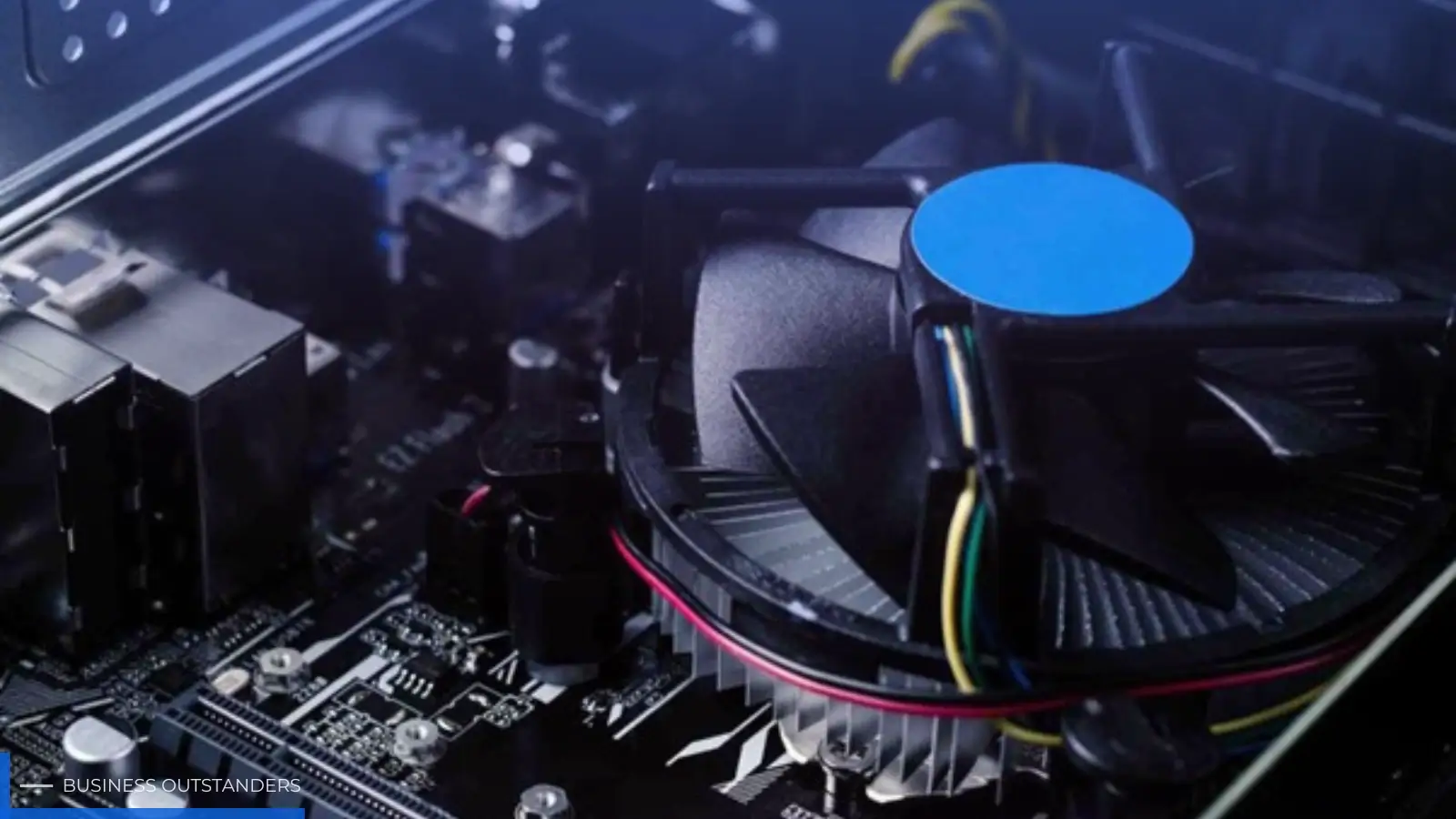
The central processing unit (CPU) acts as the brain, executing instructions and managing tasks, while the graphics processing unit (GPU) is the visual powerhouse, rendering complex game worlds with stunning detail. High-speed random access memory (RAM) ensures seamless multitasking and quick data access, preventing bottlenecks during intense gaming sessions. Storage solutions, whether lightning-fast NVMe SSDs or capacious HDDs, dictate game load times and overall system responsiveness. Finally, the motherboard serves as the nervous system, connecting all these vital components and allowing them to communicate efficiently. The synergy between these elements is what truly defines a custom build gaming PC, enabling AI-powered graphics and robust air-flow cooling systems to operate at their peak.
Engineering a High Performance Custom Prebuilt Gaming PC
For many enthusiasts, the journey into elite gaming begins with a high performance custom prebuilt gaming PC. While the allure of assembling a system from scratch is strong, prebuilt custom options offer a compelling alternative, particularly for those prioritizing immediate performance and reliability. These machines are not merely assembled; they are meticulously engineered, with experts selecting components that guarantee optimal compatibility and system optimization.
Manufacturers specializing in prebuilt gaming computers invest heavily in research and development to ensure that each configuration delivers maximum frames per second (FPS) and stability. This involves rigorous testing, proprietary cooling solutions, and often, AI-driven performance tuning that fine-tunes system settings for specific games or workloads. The benefit for the end-user is a plug-and-play experience that bypasses the complexities of component selection, assembly, and troubleshooting, offering a robust platform ready to tackle the most demanding titles right out of the box.
The Role of AI in Modern Custom Gaming PCs
Artificial intelligence (AI) is no longer a futuristic concept but a fundamental pillar in the architecture and performance of modern custom gaming PCs. The integration of AI extends far beyond simple in-game character behaviors, profoundly influencing everything from graphical rendering to system efficiency. An AI gaming PC leverages specialized hardware, such as Tensor Cores in NVIDIA GPUs or AI accelerators in new processors, to perform tasks that were once computationally impossible.
One of the most significant advancements is AI-enhanced visuals, where technologies like Deep Learning Super Sampling (DLSS) or FidelityFX Super Resolution (FSR) utilize AI to upscale lower-resolution images to higher ones, delivering crisp visuals with minimal performance impact. This allows gamers to experience higher frame rates without sacrificing graphical fidelity. Furthermore, AI multitasking capabilities enable systems to intelligently manage background processes and allocate resources, ensuring that games run smoothly even with other applications open. Intelligent gaming PC designs also incorporate AI for dynamic cooling adjustments, predicting thermal loads and optimizing fan speeds to maintain ideal operating temperatures. This continuous innovation in AI graphics rendering is not just about making games look better; it's about making them run faster, more efficiently, and more immersively than ever before.
Selecting the Right Input Hardware for Your Custom Gaming PCs
While the internal components power the virtual world, the input hardware serves as the direct interface between a player's intent and in-game action. Among these, the mechanical keyboard stands out as a critical tool for precision, speed, and tactile feedback. The choice of switches within a mechanical keyboard is paramount, fundamentally altering the typing and gaming experience. Understanding the nuances of different switch types is key to unlocking a truly personalized and high-performance setup. For those looking to explore a wide array of options, including those designed for competitive play, finding the right Custom gaming keyboard switches can significantly enhance your interaction with your gaming PC.
Mechanical keyboard switches are broadly categorized into three main types: linear, tactile, and clicky. Each offers a distinct feel and sound profile, catering to different preferences and use cases.
- Linear switches provide a smooth, consistent keystroke from top to bottom, without any tactile bump or audible click. This makes them ideal for rapid, repetitive key presses often required in gaming genres like first-person shooters or MOBAs. Their uninterrupted travel allows for quick double-taps and minimal resistance, which can translate to faster reaction times.
- Tactile switches feature a noticeable bump partway through the keypress, indicating actuation. This feedback is highly valued by typists and programmers, as it helps confirm a keypress without needing to bottom out the switch. This can lead to increased typing accuracy and reduced fatigue over long sessions. For gamers, tactile switches offer a balance, providing feedback without the distinct sound of clicky switches.
- Clicky switches combine the tactile bump with an audible "click" sound at the actuation point. This provides a satisfying, old-school typewriter feel that many typists find enjoyable. However, their distinct sound often makes them less suitable for shared office environments or late-night gaming sessions where noise might be a concern.
What makes a switch "the best" is highly subjective, depending on individual preference, primary use case, and environmental factors. There isn't a universally superior switch; rather, there's a best switch for you. For instance, a professional esports player might prioritize the speed of linear switches, while a writer might prefer the feedback of tactile or clicky switches.
Recommended Switches for Specific Use Cases:
- Typing/Programming: Tactile switches are generally favored. Popular choices include Cherry MX Brown and Gateron Brown, offering a gentle bump without excessive noise. Enthusiast options like Gazzew Boba U4T and Zealio V2 provide a more pronounced and satisfying tactile experience, often described as "thocky" or "crisp." For those who enjoy audible feedback, Kailh Box White or Kailh Box Jade offer a distinct click.
- Gaming: Linear switches are often the go-to for competitive gaming due to their smooth travel and quick actuation. Cherry MX Red is a classic choice, known for its light actuation force. Gateron Yellow is a highly regarded alternative, often praised for its smoothness and value. For even faster actuation, Cherry MX Speed Silver provides a shorter pre-travel distance. High-end linear switches like Gateron Ink Black V2 are celebrated for their exceptional smoothness and deep sound profile.
- Office Environments: Noise level is a primary concern here. Silent linear switches like Cherry MX Silent Red or TTC Frozen Silent V2 minimize sound through dampening materials. For silent tactile feedback, options like Outemu Silent Peach V3, Durock T1 Silent Shrimp, or Gazzew Boba U4 Silent offer a quiet yet responsive typing experience.
Beginner-Friendly and Enthusiast Options:
The Cherry MX series has long been the standard, with its Red, Brown, and Blue switches serving as benchmarks for linear, tactile, and clicky types respectively. These are excellent starting points for anyone new to mechanical keyboards. Gateron switches have emerged as a strong contender, often providing a smoother feel than their Cherry counterparts at a more accessible price point, making them popular among budget-conscious enthusiasts.
For those delving deeper into the hobby, enthusiast switches offer refined experiences. Gazzew Boba U4T (especially the 62g variant) is frequently cited as a top-tier tactile switch, known for its strong, rounded bump and deep sound. Gateron Ink Black V2 is a community favorite linear switch, lauded for its exceptional smoothness and premium feel. Zealio V2 switches are another highly-rated tactile option, praised for their crisp bump and minimal stem wobble, often considered an upgrade from standard tactiles.
Understanding Switch Specifications:
Several technical specifications profoundly affect a switch's feel and performance:
- Actuation Force: Measured in grams (gf) or centiNewtons (cN), this is the amount of pressure required to register a keypress. Lighter actuation forces (e.g., 45g) allow for faster, less fatiguing typing and quicker gaming reactions, but can also lead to accidental presses. Heavier forces (e.g., 60g+) can prevent mistakes and provide a more deliberate feel.
- Pre-travel: This is the distance the key travels before the switch actuates. Shorter pre-travel (e.g., 1.1mm-1.5mm for speed switches) means quicker registration, which is advantageous for competitive gaming. Standard pre-travel is typically around 2.0mm.
- Bottom-out Force: The total force required to press the switch all the way down. This affects the overall feel of the keystroke and can influence finger fatigue during long sessions. A higher bottom-out force can prevent a "mushy" feeling, while a lower one might feel lighter and less impactful.
Key Factors for Consideration:
When choosing switches, beyond the basic type, consider:
- Noise Level: Crucial for shared spaces. Silent switches are designed to minimize both the downstroke and upstroke sounds.
- Smoothness: A smooth switch reduces friction during travel, leading to a more pleasant and consistent feel.
- Durability: Most mechanical switches are rated for millions of keystrokes (e.g., 50 million to 100 million), ensuring a long lifespan.
- Housing Materials and Factory Lubing: The plastics used for the top housing, bottom housing, and stem (e.g., Nylon, POM, UHMWPE) significantly influence the sound and feel. For example, POM often results in a deeper sound profile. Factory lubing has become increasingly common, with many modern switches arriving pre-lubed to enhance smoothness and acoustics right out of the box, often reducing or eliminating the need for manual modification.
The Latest Trends and Testing Switches:
The mechanical keyboard landscape is constantly evolving, with new and exciting switches emerging regularly. Recent trends for 2025/2026 highlight improved factory lubing, tighter tolerances for reduced wobble, and a greater focus on unique sound profiles. Switches like the Gateron Type R (tactile), Keygeek Blue Cheese V2 (linear), and WS BigLucky (available in linear, tactile, and clicky variants) are examples of newer offerings that have garnered attention for their refined characteristics.
Given the subjective nature of switch preference, it is highly recommended that users test and compare switches before committing to a full set. Switch testers, small acrylic boards with various switches mounted, allow for hands-on experience. Alternatively, investing in a hot-swappable keyboard provides the flexibility to easily swap out switches without soldering, enabling experimentation with different types until the perfect match is found.
Modding for Performance:
Even excellent stock switches can be further enhanced through modding. Lubing involves applying a thin coat of specialized lubricant to the switch's moving parts (stem, spring, housing) to reduce friction, improve smoothness, and alter the sound profile. Filming involves placing a thin film between the top and bottom housing to reduce housing wobble, leading to a more solid feel and cleaner sound. While many modern switches arrive with excellent factory lubing, enthusiasts often find that careful hand-lubing can elevate the experience even further.
For those seeking the best balance of performance and cost, switches like Gateron Yellow or Gateron Milky Yellow Pro V2 offer exceptional value for money, often rivaling more premium options in smoothness once lubed. However, premium switches like Zealio V2 or Gateron Ink Black V2 often provide a superior stock experience and unique characteristics that justify their higher cost for discerning users.
To aid in the comparison process, reliable resources and tools are available. Websites like RTINGS.com conduct extensive testing and provide detailed data on numerous switches. Additionally, community-driven sound tests and comparison charts found on platforms like YouTube and Reddit's r/MechanicalKeyboards can offer valuable insights into how different switches perform in various keyboard builds.
Maximizing Longevity and User Experience
Beyond the raw power and tactile satisfaction of a custom gaming PC, ensuring its longevity and optimizing the overall user experience are equally vital. A high-performance machine is an investment, and proper care, thoughtful design choices, and forward-thinking architecture can significantly extend its lifespan and enhance every interaction.
Optimizing Air-Flow for a High Performance Desktop PC
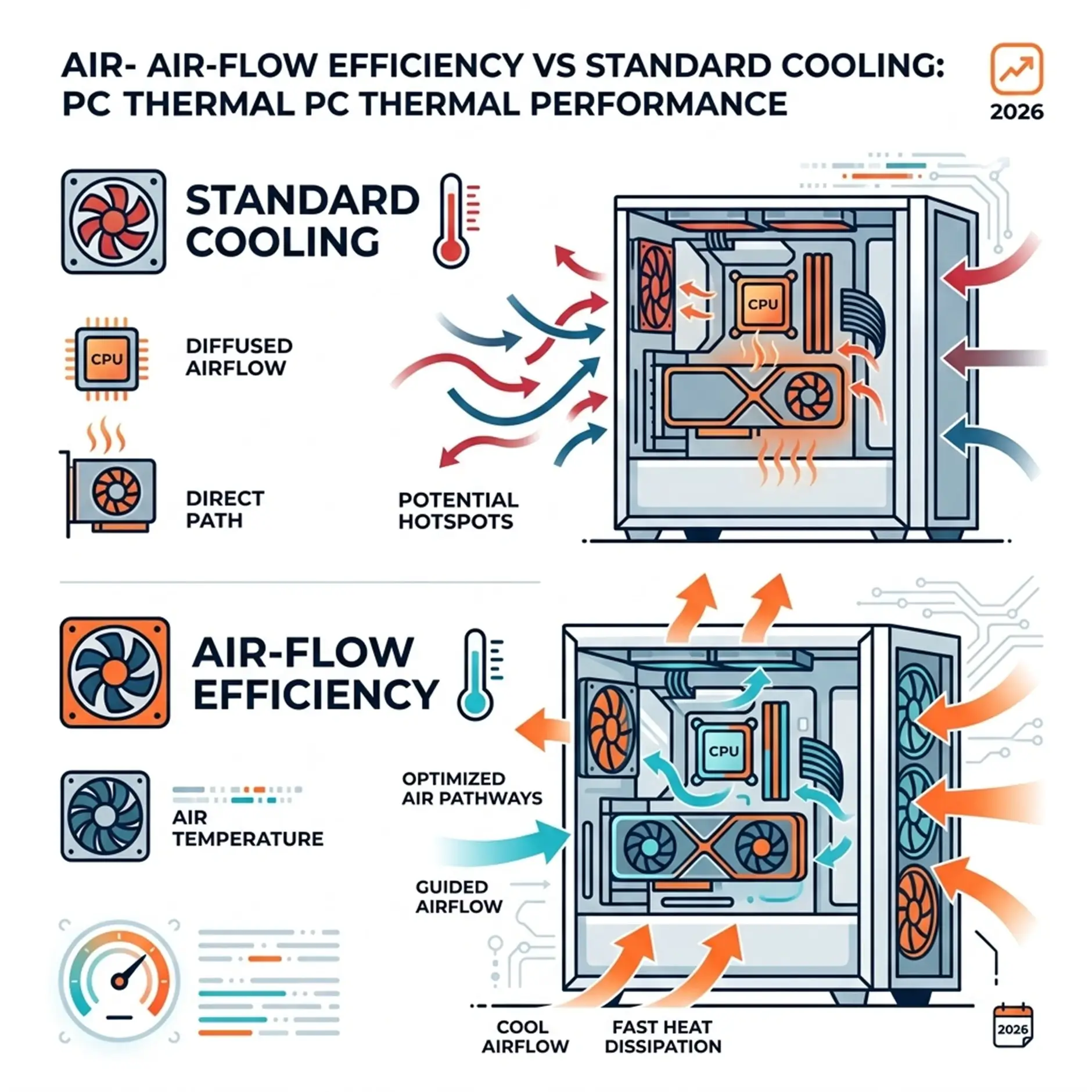
One of the most critical aspects of maintaining a high performance desktop PC is effective thermal management. Excessive heat is the enemy of electronic components, leading to reduced performance, instability, and ultimately, a shorter lifespan. Optimizing air-flow cooling is paramount to keeping temperatures in check.
This involves more than just adding a few fans. It requires a holistic approach to case design, fan placement, and the choice of cooling solutions. Cases designed with excellent air-flow prioritize unobstructed pathways for air intake and exhaust, often featuring mesh panels and ample space for larger fans. Strategic fan placement ensures a positive or neutral air pressure inside the case, preventing dust buildup while efficiently moving hot air out. High-quality CPU coolers, whether air-based tower coolers or liquid-based all-in-one (AIO) solutions, are essential for dissipating heat from the processor. For graphics cards, custom cooling solutions or well-ventilated chassis designs prevent thermal throttling. Brands like Syber Gaming often integrate advanced thermal management systems into their builds, ensuring that components like the M-Series GPUs and CPUs run cool under heavy loads, contributing significantly to system longevity and consistent performance, even when building a high performance gaming PC.
Future-Proofing with AI-Ready Gaming PC Architecture
In the rapidly evolving landscape of technology, future-proofing a gaming PC is a strategic endeavor, and the emergence of AI-ready gaming PC architecture is at its forefront. As artificial intelligence becomes increasingly integrated into software and games, systems equipped with dedicated AI hardware will be better positioned to handle future demands.
An AI-ready system typically features processors with integrated Neural Processing Units (NPUs) or powerful GPUs with dedicated AI cores (like NVIDIA's Tensor Cores or AMD's AI Accelerators). These components are designed to efficiently execute complex AI calculations, which will be crucial for advanced AI gaming features, more sophisticated non-player characters (NPCs), real-time ray tracing enhancements, and even AI system optimization that dynamically adjusts performance based on game demands. Investing in such architecture ensures that your machine isn't just powerful for today's games but also prepared for the AI gaming technology that will define the experiences of tomorrow, effectively extending the relevance and capability of your system for years to come.
Balancing Aesthetics and Functionality in Your Build
While raw performance is often the primary driver for a gaming PC pre built, the balance between aesthetics and functionality plays a significant role in the overall user experience. A visually appealing setup can enhance immersion and pride of ownership, but it should never come at the expense of performance or practicality.
Considerations like cable management are crucial. Neatly routed cables not only improve the aesthetics of the build but also contribute to better air-flow, preventing hot spots and making future upgrades or maintenance much easier. RGB lighting, while purely aesthetic, allows for personalization and can synchronize with other peripherals to create a cohesive theme. The choice of case is also vital; it should not only look good but also provide adequate cooling, easy access to components, and sufficient space for future expansion. Many pre built gaming pc customizable options allow users to select components and cases that align with their personal style without compromising on performance. A well-balanced gaming PC, whether pre built for gaming or custom-assembled, combines powerful components with thoughtful design, resulting in a machine that is both a joy to use and a statement piece in any gaming setup.
Ready to elevate your setup? Explore our latest high-performance builds and find the perfect balance of power and precision for your next gaming adventure.
Business Outstanders brings you sharp insights on tech, business, entrepreneurship, law, crypto, and more. We uncover what’s next. Stay updated, sign up for our newsletter and be part of the future!