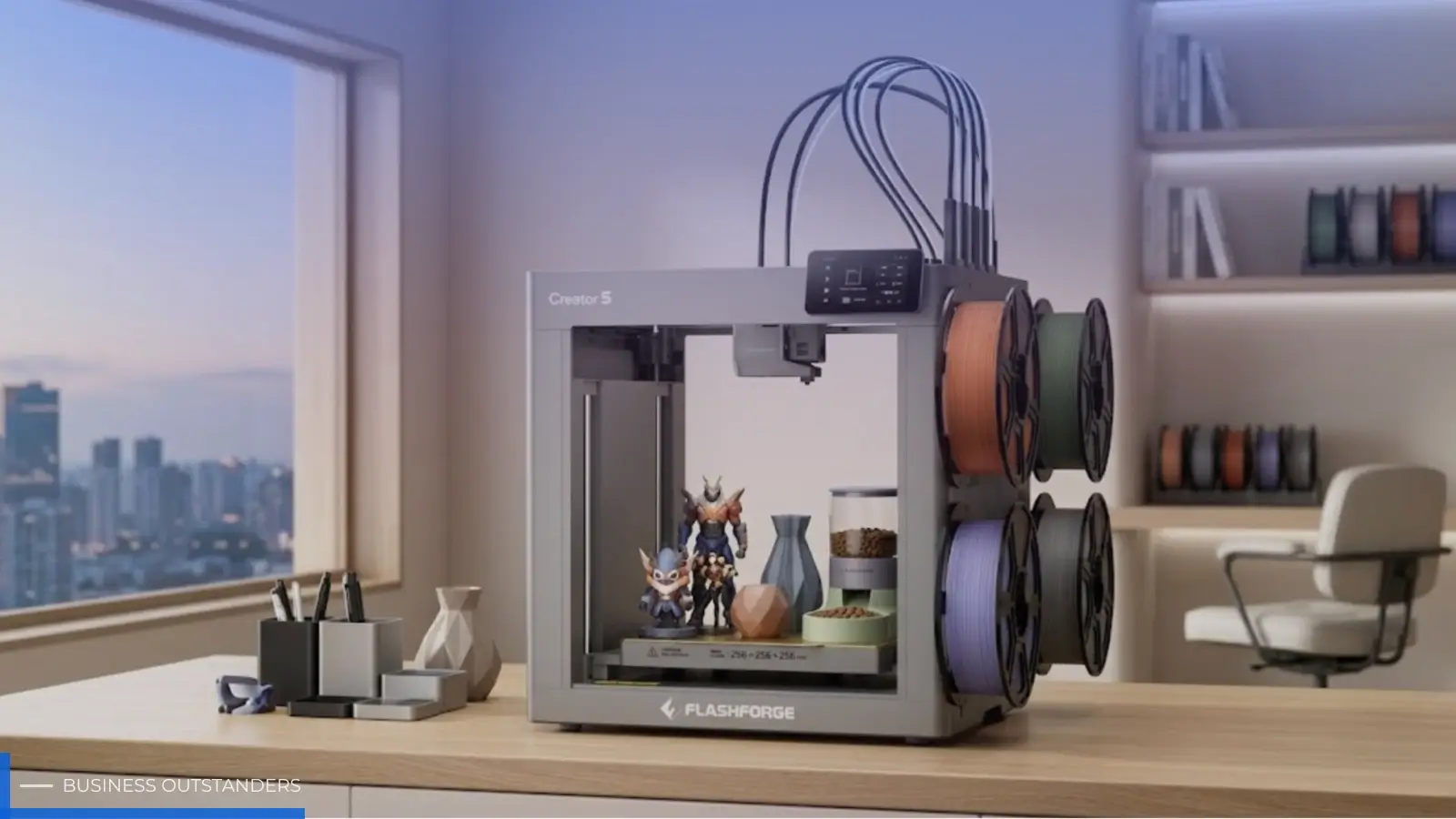
Top designers choose small business-grade 3D printers to scale desktop production for three core reasons: higher success rates, lower cost per part, and retail-grade quality that is ready for immediate delivery without post-processing. In this article, we will analyze how they use a commercial-grade 3d printer at home to achieve production levels that previously required a factory. We will also provide a complete roadmap for purchasing, setup, and avoiding common pitfalls to help you determine if this investment is worth it.
Pro-Level Tech at Home: Why Consumers Are Adopting Business-Grade 3D Printers
Over the past three years, desktop 3D printer use cases have shifted from prototyping to small-batch production. For users who want to treat their 3D printer as production equipment, success rates, continuous stability, and post-processing costs have become more important than raw specs. Behind this shift is a growing demand for finished quality. Nobody wants to spend 12 hours printing only to end up with a defective part that requires 2 hours of sanding.
Skipping the Messy Painting and Post-Processing
The most immediate advantage of business-grade equipment is making the concept of "printed equals finished" a reality. Traditional FDM users often endure a tedious workflow of scraping flashes, filling, painting, and polishing. New-generation 3D printers use high-precision nozzles, closed-loop extrusion, and micron-level layer height control to ensure surface textures meet retail standards right off the bed. Take the multi color 3d printer Flashforge Creator 5 as an example: it features 4 independent toolheads, supports travel speeds up to 600 mm/s, and boasts an impressive 30,000 mm/s² acceleration. It is ideal for creators seeking industrial-grade efficiency and stable multi-material surface quality.
Producing Retail-Quality Items in Your Living Room
The living room is becoming a new micro-factory. Desktop 3D printers are evolving to better suit home and studio environments. Common trends include more stable motion structures, auto-leveling, faster speeds, and better remote management. For home settings, you should prioritize verifying if the 3D printer has an enclosed design, low noise levels, and stability support for long runs. This makes starting a business at home a quantifiable side hustle rather than just a romantic idea.
If you plan to produce in a bedroom or living room, focus on three indicators: VOC filtration grade, chassis sealing, and heat bed temperature uniformity (the delta between the edge and center should be less than 5°C). These three factors determine if you can run the 3D printer for long periods without disruption.
Cool, Practical, and Profitable Things You Can Print at Home
What do home users print most often? Common commercial directions for home 3D printing include desktop organization, functional parts, custom decor, pet products, and lightweight cosplay accessories. Specific pricing and profit vary significantly based on materials, labor hours, failure rates, platform fees, and post-processing needs. It is better to evaluate these by product line rather than a fixed profit margin.
|
Category |
Average Price (USD) |
Average Print Time |
Profit Margin Range |
|
Custom Figures / Collectibles |
35–120 |
6–14 Hours |
55%–70% |
|
Desktop Storage & Functional Parts |
8–25 |
1.5–4 Hours |
60%–75% |
|
Pet Supplies (Feeders, Toys) |
12–40 |
2–5 Hours |
50%–65% |
|
Cosplay Gear & Props |
60–300 |
10–30 Hours |
45%–60% |
|
Gardening Planters & Decor |
15–50 |
3–8 Hours |
50%–70% |
Notably, while desktop storage products have lower unit prices, their short print times and high repeat purchase rates make them a cash flow pillar for many home studios.
Stealing Pro Scaling Strategies for Your Personal Workshop
Once you know what makes money, the next step is learning how pro players stay profitable. Scaling is not just about buying more 3D printers; it is about building repeatable processes.
Master One Reliable Machine Before Upgrading
Experienced users agree: buying a second 3D printer before mastering the first just doubles your problems. Mastery means at least four things: being able to replace nozzles and tubes without a manual, judging temperature deviations by looking at a print, saving at least 3 presets for common materials, and completing full maintenance in under 30 minutes.
Optimizing Settings to Save Time and Filament
Slicing parameters are the invisible battlefield for profit. In mass production, lowering infill and optimizing wall thickness or top layers can significantly reduce material waste and time. However, whether this affects strength depends on the part use, material, and structural design. A safer move is to create two sets of parameters for the same product: a display version and a mass-production version, then verify them with test pieces.
Pro tip: always keep two slicing configurations for the same product. One is the display version (high quality, slow speed) and the other is the mass-production version (fast speed, reasonable strength). Switching based on customer needs is closer to real business logic than chasing ultimate quality every time.
The Home User's Buyer's Guide to Professional 3D Printers
With the process understood, the buying logic becomes clearer. Pro-level equipment for home use is an art of balance, not just a stack of specs.
Balancing High Print Quality with Everyday Running Costs
Many beginners overlook long-term ownership costs. A 3D printer priced at 600 USD might cost more over three years than a 1,500 USD high-end model if the nozzle needs replacing every 200 hours at 40 USD a pop. Estimate your annual print hours before buying and use this formula:
Total Cost of Ownership = Machine Price + (Annual Filament Use × Unit Price) + (Wear Part Cycles × Part Price) + Electricity
Beginner-Friendly Software Ecosystems
The software ecosystem determines your learning curve. Mature slicing software should offer remote monitoring, direct model library access, auto-support generation, and multi-platform sync. The Orca-Flashforge slicer features factory-optimized presets for its entire 3D printer lineup. The median time from unboxing to the first successful print is 35 minutes, which is very friendly for home users.
Space, Noise, and Safety for Home Environments
When choosing for a home, check the footprint, power needs, ventilation, and long-term stability in addition to build volume. For hard metrics, stick to data explicitly labeled by official sources:
|
Metric |
Recommended Threshold |
Why It Matters |
|
Operating Noise |
< 50 dB |
Equal to normal conversation; allows long runs in bedrooms |
|
Footprint |
< 0.25 m² |
Fits on standard desks or side cabinets |
|
Standby Power |
< 5 W |
Avoids high electric bills and heat risks from being plugged in |
Rookie Mistakes to Avoid When Using Pro-Level Equipment
Upgrading equipment brings new traps. The most common mistake is using a consumer mindset on pro-grade 3D printers. For example, using standard PLA in high-speed mode, ignoring nozzle and bed cleaning cycles, or treating an enclosed chassis as a maintenance-free box. These habits might not show immediate damage, but they lead to failed prints, poor first-layer adhesion, and motor noise after 3 to 6 months.
Another underrated error is over-relying on default parameters. Factory presets are designed for average scenarios. Once you switch to third-party filaments or print complex geometries, you must recalibrate flow and retraction.
Final Thoughts: Should You Invest in a Small Business 3D Printer?
If you print more than 40 hours a month, require retail-grade quality, and want to focus on creating rather than fixing machines, a small-business desktop 3D printer will likely pay for itself in 8 to 14 months through saved time and materials. If you only print occasional trinkets, a consumer-grade model is enough. What determines the return is never the machine itself, but whether you are ready to manage your hobby like a business.
Also Read: How to Choose the Right Industrial Label Printer for Your Business
Business Outstanders brings you sharp insights on tech, business, entrepreneurship, law, crypto, and more. We uncover what’s next. Stay updated, sign up for our newsletter and be part of the future!