The music industry is on the cusp of a revolution. AI-generated content is changing how artists create and share their work.
AI music video generators such as Revid.ai are now available. Musicians can make high-quality videos without needing a lot of money or resources. This step-by-step masterclass will show you how to make a professional AI music video from start to finish.
Using the right AI tools and techniques, you can make your artistic vision come to life. You can also captivate your audience like never before.
Key Takeaways
- Learn the essential steps to create a professional-level AI music video.
- Discover the right AI tools for your music video project.
- Understand how to customize AI output to fit your artistic vision.
- Gain insights into the future of AI-generated content in the music industry.
- Develop the skills to produce high-quality music videos without extensive resources.
Introduction to AI Music Videos
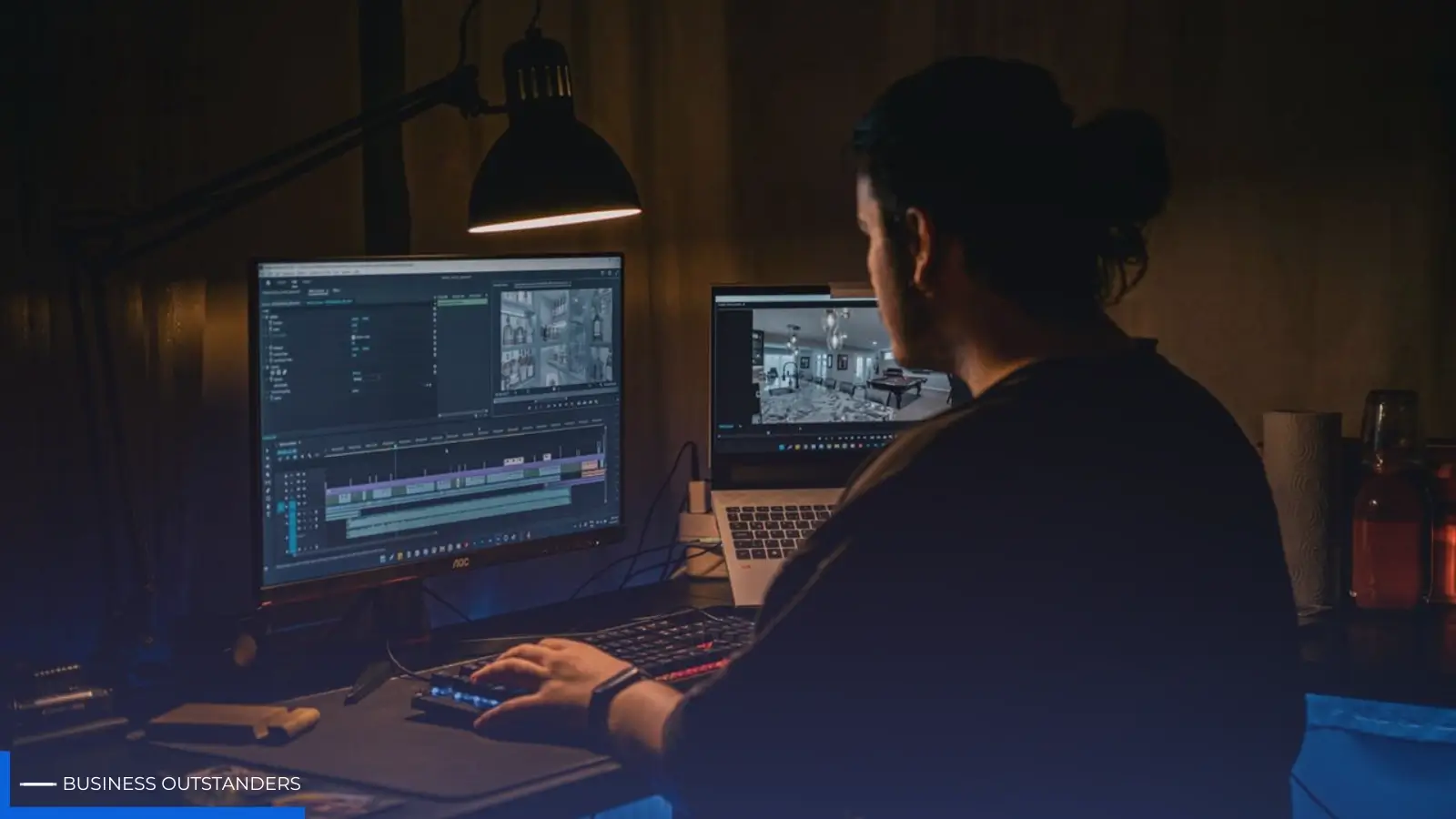
AI is changing how we make music videos. It uses smart algorithms to create visuals and animations. These can turn into full videos based on what you give it.
What Are AI Music Videos?
AI music videos use AI algorithms to make amazing visuals. These algorithms look at the audio and make visuals that match. This makes making videos faster and easier.
Benefits of Using AI for Music Videos
AI in music video making has many perks. It saves time and money, boosts creativity, and makes high-quality videos. Here's a quick look at these benefits:
|
Benefit |
Description |
|
Reduced Production Time |
AI automates many tasks, speeding up production. |
|
Increased Creativity |
AI comes up with unique visuals and effects, adding to creativity. |
|
Cost Efficiency |
AI automates tasks, cutting down on costs. |
Overview of the Process
Making an AI music video involves several steps. You need to pick the right AI tools and finalize your project. Knowing how to make AI music videos means understanding these steps. We'll cover them in more detail later.
An AI video production guide can help you through this. It ensures artists and producers use AI well.
Choosing the Right AI Tools
Choosing the right AI video creation platform can be tough. You need to look at several things. These include the platform's features, cost, and how easy it is to use.
Popular AI Video Creation Platforms
Many AI video platforms are popular among creators. Some top ones are:
- Runway: Known for its advanced video editing and AI features.
- Cling AI: Offers a user-friendly interface and customizable templates.
- Masterchannel: Provides a wide range of tools for video creation and editing.
These platforms have tools and features for making great music videos. Think about what you need for your project when picking a platform.
Features to Look For
When looking at AI video platforms, consider these key features:
- Customization Options: The ability to customize templates and adjust visual elements to fit your vision.
- AI-driven Effects: Advanced effects that can be applied automatically using AI.
- User Interface: An intuitive and user-friendly interface that simplifies the video creation process.
- Integration: Compatibility with other tools and software you use in your workflow.
By focusing on these features, you can find a platform that meets your needs and improves your video production.
Cost Considerations
The cost of AI video platforms varies a lot. Some offer free versions or trials, while others require a subscription or a one-time payment. It's important to think about your budget and what you expect from the platform.
When looking at cost, consider these points:
- Pricing Model: Understand whether the platform charges per project, per month, or annually.
- Features Included: Evaluate what features are available in the free version versus the paid version.
- Scalability: Consider whether the platform can grow with your needs and whether the cost scales.
By carefully looking at these factors, you can choose an AI video platform that fits your budget and meets your project needs. This ensures a successful music video production.
Preparing Your Music and Concept
The foundation of a great AI music video starts with your music and visual concept. To create a compelling AI music video, you need a clear idea of your music and visuals. This will bring your music to life.
Before using AI tools, your music and concept are key. A well-prepared track and concept are vital for an engaging AI music video. They help connect with your audience.
Selecting the Right Song
Choosing the right song is crucial. It sets the mood, tone, and feel of your video. Think about the message and emotions you want to share. For musicians, picking a song that fits your brand is important.
https://www.youtube.com/watch?v=kUherZ7dWag
Defining Your Visual Theme
After picking your song, define your visual theme. Brainstorm ideas that match your music's mood. Consider colors, textures, and imagery that complement your song. A clear theme ensures your video looks good and is cohesive.
For those making create music clips with AI, a strong visual theme is key. It creates a visual story that enhances the music.
Researching Inspirations
Researching inspirations is essential. Look at music videos, AI and traditional, to see what works. Gather ideas from art, nature, and tech. This helps refine your concept and make your video unique and engaging.
By preparing well, you're on your way to a successful AI music video. Whether you're experienced or new, understanding AI music videos can expand your creative options.
Script and Storyboarding
To make a great music video with AI, start with a good script and storyboard. This step is key to a cohesive, engaging video that shows your artistic vision.
Writing a Brief Script
The script is the heart of your music video, guiding the AI creation. Keep it short and focused on your main message or story. A brief script outlines the key parts of your narrative, like character introductions and the ending.
Think about your video's theme and story first. Decide on the tone and emotions you want to share with your audience. A well-written script makes your video more coherent and engaging.
Creating a Storyboard
After your script, make a storyboard. It's a visual guide of your script, showing each shot or scene. It helps plan the video's flow and look. Think about the visuals that will make your script come alive.
A detailed storyboard is crucial for the AI production. It ensures your final video matches your vision.
Visualizing the Narrative
Now, visualize your story with your script and storyboard. Think about how the AI will turn your ideas into a video. Consider the style, colors, and overall look you want.
- Think about the mood and atmosphere you want to create.
- Consider the characters and settings.
- Plan the transitions and pacing.
By planning these details, your AI music video will be stunning and tell a story that connects with your audience.
AI-Generated Visual Elements
AI has changed music video making. It lets creators make top-notch visuals easily. This was hard or costly before.
Types of Visuals You Can Create
AI makes many visual types, from simple to complex. With an AI music video generator, artists can create music clips that match their music style.
Here are some visuals you can make:
- Abstract animations that match the music beat
- Dynamic graphics that add to the song's story
- Stylized video effects for a unique look
Using AI for Animation and Effects
AI automates animation and effects making. This saves time and money. An automated video tutorial helps beginners too.
"AI-powered animation tools can significantly reduce production time while maintaining high-quality output."
Integrating Stock Footage
AI also makes adding stock footage easy. It matches the footage with the music and visuals. This makes a complete video.
AI and stock footage together make a music video that grabs viewers.
Audio Integration
Getting audio right is key to a great AI music video. When audio and visuals work together well, it makes the video more enjoyable.
Synchronizing Audio and Visuals
To make audio and visuals work together, you need to sync them up. This means matching the beats and important sounds with the visuals. Here's how to do it:
- Identify Key Audio Cues: Find the important parts of your audio, like the start of a chorus.
- Match Visuals to Audio Cues: Use your AI tool to make visuals that match these audio cues.
- Adjust Timing: Make sure your visuals are perfectly in sync with the audio.
Enhancing Sound Quality
Good sound quality is as important as good visuals. Here's how to improve the sound of your AI music video:
- Use High-Quality Audio Sources: Start with an audio track that's clear and free of distortion.
- Adjust Audio Levels: Make sure the audio levels are right, not too loud or too soft.
- Apply Audio Effects: Use effects like reverb or equalization to make the audio better and more interesting.
Adding Additional Sound Effects
Adding extra sound effects can make your AI music video more interesting. Here are some ideas:
- Complementary Sounds: Add sound effects that go well with the main audio, like ambient noises.
- Creative Use of Sound: Try out creative sound effects to add to the story or mood of your video.
Customizing the AI Output
To make your music video unique, personalize the AI-generated content. Customizing the AI output lets you refine visuals and audio to match your style and vision.
Adjusting Colors and Effects
Adjusting colors and effects is key to customizing the AI output. Tweaking these elements can greatly improve your music video's look. For example, you can use an easy video maker to change the color palette, brightness, and contrast.
Adding effects like transitions, animations, and filters can also make your video more interesting. It's important to find a balance between creativity and coherence to keep your audience engaged.
Fine-Tuning Visual Components
Fine-tuning visual components is essential for a cohesive and polished music video. Adjust the timing, size, and position of elements to match the music and story. An AI video production guide can help with these adjustments.
By refining these elements, you can make your video more dynamic and engaging. This step is crucial for making your music video stand out and leave a lasting impression.
Making Use of Filters and Styles
Filters and styles are powerful tools for customizing your AI-generated music video. They can change the mood and atmosphere, making your video more captivating. Whether you want a vintage or futuristic look, the right filters and styles can help you achieve it.
When using an easy video maker tool, explore the various filter and style options. Try different combinations to create music clips that are visually appealing and unique.
Collaborating with AI Tools
Working with AI tools for music videos is all about teamwork. The creator and the AI tool must work together. This teamwork is key to making a video that people will love.
Understanding the Collaboration Process
First, you need to know what the AI tool can do. For example, an AI music video generator can help a lot with making videos. But, you need to guide it to get what you want.
Learning about the AI tool's features helps you make better choices. This way, you can create your project more effectively.
Tips for Effective Communication with AI
To talk to AI well, you must give clear instructions. When using an automated video tutorial, it's important to know how to steer the AI. This ensures your vision is brought to life.
- Clearly define your project's objectives and aesthetic preferences.
- Use specific keywords and parameters to guide the AI's output.
- Iterate on the AI's output, making adjustments as needed to align with your vision.
Examples of Successful Collaborations
Many creators have made great music videos with AI tools. For instance, a beginner video guide helps newbies make professional videos fast.
These examples show how AI can boost creativity and make great content.
Finalizing the Video Project
Once you've made your AI music video, it's time to check, tweak, and perfect it. This final step is key to making your video great and keeping viewers interested.
Reviewing and Making Adjustments
Start by carefully looking over your AI music video. Make sure the sound and pictures match up well. Adjust the timing, colors, or effects if needed to make it better.
Key areas to focus on during review:
- Audio-visual synchronization
- Color consistency and appeal
- Visual effects and transitions
Seeking Feedback from Peers
After tweaking, ask others for their thoughts. This can help you see how your video is seen and what you can improve. Share it on YouTube or Vimeo to get feedback.
Tips for gathering constructive feedback:
- Share your video with a diverse group of viewers
- Ask specific questions about the video's content and quality
- Be open to criticism and use it to refine your project
Common Mistakes to Avoid
When you're finishing your AI music video, watch out for common mistakes. These include relying too much on default settings, not checking for copyright, and not making it work for different places.
|
Common Mistake |
Impact |
Solution |
|
Over-reliance on default settings |
Lack of uniqueness and creativity |
Customize settings to fit your vision |
|
Neglecting copyright issues |
Legal complications and video removal |
Ensure all elements are licensed or original |
|
Failing to optimize for different platforms |
Poor video performance on certain platforms |
Adjust export settings for each platform |
https://www.youtube.com/watch?v=NZb-gNcgjZo
By reviewing and adjusting your AI music video well, asking for feedback, and avoiding common mistakes, you can make sure your final video is top-notch and engaging for your audience.
Exporting the Music Video
After making your AI music video, it's time to export it. Exporting it right is key to make it look good on YouTube and social media like Instagram and Facebook.
File Formats and Resolutions
Picking the right file format and resolution is crucial. You can use MP4, AVI, or MOV for music videos. The resolution should match where you plan to share it. For example, YouTube likes videos in 1080p or 4K.
|
Platform |
Recommended Resolution |
File Format |
|
YouTube |
1080p or 4K |
MP4 |
|
|
1080p |
MP4 |
|
|
1080p or 4K |
MP4 or MOV |
Export Settings for Different Platforms
Each platform has its own video upload rules. Knowing these can make your AI music video better for each site. For example, YouTube and Facebook accept many resolutions, but Instagram has its own rules for videos.
- YouTube: Supports 8K, 4K, 1440p, 1080p, 720p, 480p, 360p, and 240p resolutions.
- Instagram: Recommends 1080p for feed and story videos.
- Facebook: Supports up to 4K resolution for video uploads.
Optimizing for Social Media
Getting your AI music video ready for social media is more than just the right format and resolution. You also need to think about the aspect ratio, video length, and thumbnail. For example, Instagram likes square or vertical videos, while YouTube is more flexible.
By following these tips and using the right export settings, you can share your AI music video with more people. It will look great on different platforms. Whether you use an easy video maker or a more advanced tool, being flexible is key.
Promoting Your AI Music Video
After making your AI music video, it's time to share it with your fans. Using the right marketing tactics is key to getting your video seen by more people.
Strategies for Social Media Promotion
Social media is a great place to show off your AI music video. Here are some tips:
- Post behind-the-scenes stuff to get people excited.
- Use hashtags to help others find your video.
- Talk to your followers to build a community around your music.
- Work with other artists or influencers to reach more people.
Engaging with Your Target Audience
Knowing who you're talking to is important for promoting your video. Think about these points:
- Find out what your audience likes and make content for them.
- Use tools to see how well your content is doing and change your plan if needed.
- Keep your fans happy by always giving them great music.
Utilizing Influencer Marketing
Influencer marketing can really help your video get noticed. Here's how to use it:
- Find influencers who match your style and audience.
- Send them a personal offer to work together.
- Keep an eye on how well your influencer partnerships are doing.
By using these strategies, you can get your AI music video out there and reach more people. The secret is to know your audience and use the best marketing tools.
Understanding Copyright and Fair Use
It's key for artists to know about copyright and fair use when making AI music videos. Using AI in music videos brings up special challenges with copyright and licensing.
Importance of Copyright in Music Videos
Copyright laws protect the work of creators like musicians and directors. When using an AI music video generator, remember that copyright covers the video's visuals, music, and more.
Make sure all parts of your AI video are licensed right or under fair use. This means getting the right permissions for music, footage, or other content.
How to Navigate Licensing Issues
Dealing with licensing needs a good grasp of your video's sources. When using an automated video tutorial or tools with stock footage, check the licensing terms.
Here are some steps to handle licensing:
- Find out where all your video's materials come from.
- Know the licensing deals for these materials.
- Get the needed permissions or licenses for copyrighted stuff.
- Keep records of all your licenses for later.
Fair Use Guidelines
Fair use lets you use copyrighted material without permission, but only a little bit. For a beginner video guide, knowing fair use can help with copyright law.
To figure out fair use, look at these points:
- Is the use for business or not for profit?
- What kind of copyrighted work is it?
- How much of the work do you use compared to the whole thing?
- Does your use hurt the work's market or value?
By thinking about these points, creators can decide if fair use fits their AI music video plans.
Analyzing Viewer Engagement
It's key to know how viewers react to your AI music video. This helps you improve your video-making plan. By looking at viewer engagement, you learn what works and what doesn't. This lets you make smart choices for your next projects.
Tools for Tracking Video Performance
To really get into viewer engagement, you need the right tools. YouTube Analytics, Vimeo Insights, and social media analytics are good choices. They give you important data on views, watch time, and how long people stay.
YouTube Analytics, for example, shows how people find your video, how long they watch, and when they stop. This info is key to figuring out what viewers like and what they don't. It helps you tweak your strategy.
Understanding Audience Analytics
Audience analytics digs deeper than just numbers. It tells you about your viewers' age, interests, and how they act. By looking at this, you can make your content more appealing to your audience.
If most of your viewers are 18-24, you can change your video's look and music to attract them more. Knowing what they like also helps you make better ads.
Adapting Future Projects Based on Feedback
The main goal of checking viewer engagement is to get better with each project. By seeing what worked and what didn't, you can make your videos better.
This might mean changing your style, trying new AI tools, or how you share your videos. The important thing is to listen to what viewers say. Use their feedback to make your videos even better.
By always checking how viewers react, you can keep making great AI music videos. This way, you'll reach your goals in the fast-changing world of AI content.
Future Trends in AI Music Videos
AI is changing the music video world in big ways. As tech gets better, we can make more creative and fun music videos.
What’s Next for AI in Video Production?
The future of AI in video making is exciting. We'll see more AI music video generators that make great visuals with little human help.
Experts say the next AI tools will make creating videos easier and more creative. They'll use smart algorithms to understand what people like and make videos just for them.
"The future of music video production lies in the intersection of creativity and technology." - Industry Expert
Predictions for the Future of Music Videos
AI will bring big changes to music videos. Here's what we can expect:
- More personalized videos, made just for you.
- Interactive videos where you help tell the story.
- Immersive experiences with VR and AR.
|
Trend |
Description |
Impact |
|
Personalization |
AI-generated content tailored to viewer preferences. |
Increased viewer engagement. |
|
Interactivity |
Viewers can influence the narrative through interactions. |
Enhanced viewer experience. |
|
Immersive Experiences |
Use of VR and AR to create immersive music videos. |
New revenue streams through premium experiences. |
Embracing Emerging Technologies
To keep up, music video makers need to try new AI tools. This means making create music clips that are fresh and exciting.
By taking a music video masterclass, creators can learn the latest AI tech. They'll also know what's trending in the industry.
Conclusion and Next Steps
Creating a music video with AI is a new and exciting journey for musicians. By following this guide, you can make videos that grab your audience's attention.
Key Takeaways
First, pick the right AI tools for your project. Then, get your music and idea ready. Next, write a script and plan out your video. Lastly, tweak the AI output to fit your vision.
Starting Your Project
Now, it's time to begin your AI music video project. This guide has given you the tools to try out different AI tools and methods. You're ready to create a unique video for your fans.
Further Learning Resources
To keep getting better, check out online tutorials on AI video making. YouTube, Udemy, and Skillshare are great places to learn more. They'll help you become a pro at making AI music videos.
FAQ
What is an AI music video generator, and how does it work?
An AI music video generator is a tool that uses artificial intelligence. It creates music videos by analyzing the audio file. It then generates visuals that match the music's mood, tempo, and style.
How do I choose the right AI tool for my music video project?
To pick the right AI tool, think about what features you need. Look for animation, effects, stock footage integration, and customization options. Also, consider the cost and how easy it is to use.
What are the benefits of using AI for music video production?
AI can save you time and money. It offers high customization and creativity. AI can also make professional videos, even with a small budget.
How do I prepare my music and concept for an AI music video?
First, pick a song that fits well for a video. Then, define your visual theme and research inspirations. This ensures your AI video is cohesive and engaging.
What is the importance of script and storyboarding in creating an AI music video?
Script and storyboarding are key for a successful AI video. They help visualize the story and ensure a cohesive narrative. They also guide the AI tool.
How do I customize the AI output to fit my vision?
To customize, adjust colors and effects. Fine-tune visual components and use filters and styles. This ensures your vision is reflected in the final product.
What are the best practices for collaborating with AI tools?
To work well with AI tools, understand the collaboration process. Communicate clearly with the AI. Be open to trying new things and improving your work.
How do I export my AI music video in the right file format and resolution?
Choose the right file format and resolution for your platform. This could be YouTube, social media, or TV. Also, think about optimizing for social media.
How do I promote my AI music video on social media?
Develop a strategy for social media promotion. Engage with your audience, use influencer marketing, and optimize your video for visibility.
What are the copyright and fair use considerations when creating an AI music video?
Understand copyright and fair use to avoid issues. Make sure you have the right permissions for any copyrighted materials in your video.
How do I analyze viewer engagement with my AI music video?
Use tools to track your video's performance. Understand your audience and adapt your future projects based on feedback. This helps improve your AI video strategy.
What are the future trends in AI music videos?
Future trends include better AI technology and more automation. New technologies like virtual and augmented reality will also emerge. Stay updated to lead in the industry.
How can I get started with creating my own AI music video?
Start by choosing an AI video platform. Prepare your music and concept. Follow a step-by-step guide to create a professional AI music video. Don't be afraid to experiment.
What are some common mistakes to avoid when creating an AI music video?
Avoid poor audio quality, inconsistent visuals, and unclear direction. Knowing these pitfalls helps you create a high-quality AI music video.
How can I fine-tune my AI music video creation skills?
Practice creating AI music videos and seek feedback. Stay updated with the latest trends and technologies. This will refine your skills and ensure quality AI music videos.
Business Outstanders brings you sharp insights on tech, business, entrepreneurship, law, crypto, and more. We uncover what’s next. Stay updated, sign up for our newsletter and be part of the future!